






Small Business Stock Management Systems: Features & Benefits

How a modern stock management system helps small businesses track inventory accurately, prevent stock issues, improve cash flow, and support long-term growth
- Through a stock management system, small businesses can keep accurate inventory records, automate processes, and integrate smoothly with other business operations.
- Inventory management impacts customer happiness by reducing order delays, avoiding stock outs, providing consistent product availability, and establishing customer trust.
- Automated stock management tools enhance cash flow by maximizing inventory turnover, reducing surplus stock, and enabling smarter purchasing decisions through real-time data.
- What features must the core stock management system have? For instance, real-time tracking, easy usability, mobile access, integration with other tools, scalability, and security.
- Integration with accounting and supply chain management software further streamlines your business workflows, increases operational efficiency and provides a holistic view of your financial and inventory data.
- Continuous staff training, responsive support access, and embracing new technologies like automation and AI remain key to keeping up with market trends and expanding your business sustainably.
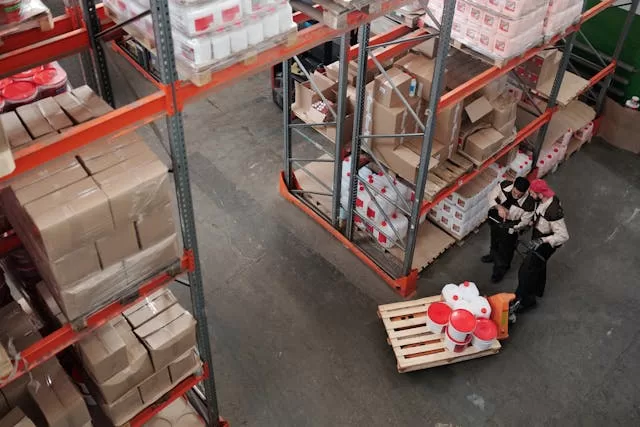
A small business stock management system records products, inventory counts and orders all in a centralized location. It assists owners in understanding what they have in stock, what should be replenished, and what is moving quickly.
To save time and reduce errors, these systems incorporate basic technologies such as barcode scanning and real-time updates. These are the systems a lot of small firms rely on to scale with less pain.
The following section illustrates how these systems operate in everyday commerce.
What is a Stock Management System?
A stock management system is one which businesses utilize to keep an eye on their inventory, orders, and sales. It functions by providing a transparent overview of inventory levels, reorder requirements, and product turnover. This is sometimes referred to as an inventory management system.

Small businesses implement them to mitigate large risks such as stock outs or excess inventory on hand, both of which cause losses. An average of 25 percent of inventory can be lost every year if stock is not managed well, so it is crucial for small business owners to use a system that fits their requirements.
Inventory management software is an integral component of contemporary stock management. Such software tools help automate tasks that would otherwise be slow and error-prone. For instance, rather than tallying items manually and recording them in a notebook, a digital system allows you to scan bar codes, monitor real-time changes, and receive notifications when certain items are low.
It makes the process faster and record updating a breeze. There exist numerous types of stock management systems. Manual systems are straightforward and inexpensive, but they require more time and are more prone to error.
Periodic systems rely on routine audits, such as a weekly or monthly inventory, whereas perpetual systems employ software to record each update in real time. For instance, a bakery with new items every day might employ a perpetual system to minimize spoilage and ensure favorite treats never run out.
Precise stock books are essential in any enterprise, big or small. A good stock management system will reduce the errors created by hand counts and lost paperwork. Thanks to real-time data, they can see what sells fast, what doesn’t, and when to reorder.
This prevents stockouts, when merchandise sells out and revenue is lost, as well as overstocking, which liquidates cash and inventory space. For example, a fashion store with fast and slow moving products can optimize more effectively by understanding which sizes or colors are most in demand.
It can help identify patterns, such as consistent late deliveries from a specific vendor, allowing the company to intervene before issues escalate.
Integrations with other business tools are also important. If you link your stock software with your sales or accounting platforms, it means that inventory adjusts the moment a purchase is made and your bookkeeping is up to date.
This comes in handy for more complex environments, like multi-location stores or ones with fast-spoiling goods. When it all works together, owners spend less time correcting errors and more time expanding their company.
In other words, a quality stock management system allows small business owners to work smarter, reduce expenses, and make more informed choices.
Why Your Small Business Needs One
Small businesses encounter stock challenges every day that can make or break their growth. Having a reliable inventory management software is key, not only for cost-cutting but for instilling customer confidence and keeping the business healthy. This software solution keeps you in the know, steers you clear of expensive errors, and provides you the means to grow smart.
1. Customer Happiness
Smart stock management ensures your customers get what they want when they want it. If you’re in stock and ship fast, people pay attention. Backordered products hurt trust, while getting orders right and on time keeps them coming back. Utilizing the right inventory management software can significantly enhance your inventory operation.
Imagine a bakery running out of best-selling pastries in the midst of a holiday rush. It loses sales and upsets its loyal customers. With a reliable small business inventory management system, being able to respond promptly to orders, backed by trustworthy inventory information, means your customers will never have to wait or find an alternative source. This alleviates frustration and establishes a reputation for dependability.
Correct inventory information minimizes stockouts and overstocking, helping to maintain service levels. Listening to customer gripes about missing products or delayed deliveries can help fine-tune your inventory strategy. This feedback loop establishes a system that becomes smarter as it evolves.
2. Cash Flow
Running lean on stock saves on storage and liberates capital for other uses. Too much inventory ties up cash, while too little means lost sales! Keeping tabs on goods being sold and replaced inventory turnover means you can see if your money is at work or gathering dust.
For instance, a retail shop that overspends on deadstock will have a hard time paying bills, whereas one that stocks the hot items can reinvest profits. A clever system directs what to buy, when to buy, and how much to have on hand.
These insights prevent costly errors and enhance business finances. Small businesses can identify cash flow patterns, tailoring their purchasing to fit busy or lull times.
3. Growth Potential
When you streamline your stock process, you create space for scaling up. As sales increase, having the appropriate inventory available means that you can accommodate more customers or expand with new products.
A clothing store can launch a new line without pandemonium because it has transparent inventory data. When things are running smoothly, entering new markets feels less dangerous. A case in point is a small electronics retailer.
By moving from manual tracking to automated inventory, they reduced stock errors, processed more orders, and launched a second location. Organized processes fuel consistent expansion and larger ambitions.
4. Data-Driven Decisions
Analytics in inventory management systems transforms raw data into action. Sales trends, seasonal demand, and supplier performance all become more transparent. Examining past sales information helps to plan forward orders and avoid repeating errors.
Real-time tracking means you can identify problems immediately, such as a product run, and respond before it escalates. Armed with complete visibility, you can negotiate better with suppliers, understanding exactly what you need and when.
It forges tighter alliances and can generate savings.
5. Time Freedom
Automated inventory tools save hours of manual checking and updating. Rather than updating spreadsheets, the system updates the changes and notifies you of low stock. Efficient workflows translate into less time repairing errors or hunting for lost artifacts.
Business owners spend more time planning, marketing, or engaging with customers instead of running after numbers. This larger-goal focus boosts morale and productivity for the entire team.
These little time savings accumulate over time, allowing everyone to accomplish more with less effort.
Essential System Features
A small business inventory control system needs to provide intuitive, powerful resources to monitor inventory and make intelligent decisions. Selecting these features is critical for any business that desires to capture value by saving time, reducing waste, and satisfying demand quickly.
Real-time tools and smart data demonstrate how effectively the stock moves, assist in improved planning, and keep the entire team aligned. The proper system components will allow small teams to maintain simplicity even as their sales expand.
The most important features to look for in a stock management system are:
- Real-time inventory tracking and reporting
- Real-time demand planning
- Data analysis and reporting tools
- Barcode scanners and RFID tag support
- Predictive analytics for demand forecasting
- Automated replenishment
- Lot tracing and tracking
- Inventory valuation methods (like FIFO)
- Days Sales of Inventory (DSI) tracking
- Mobile access features
- Easy-to-use interfaces
- Multi-location inventory management
All of the features above resolve an actual pain point for small businesses growing in a fast market. With real-time demand planning, owners can adjust their purchasing or warehousing footprint just as they encounter fluctuations in customer demand.
With real-time data reporting, teams detect trends sooner, allowing them to intervene before issues escalate. Barcode scanners and RFID tags accelerate counting and reduce errors, ensuring everything from selection to delivery goes off without a hitch.
Predictive analytics is a core tool. It means the system leverages historical sales data to predict what will sell next, so teams on the ground can order precisely what they need, not a surplus or a shortage.
Auto-replenishment allows the system to order or send an alert when stock gets low. Lot tracing and tracking assist in monitoring products through multiple locations to prevent loss.
Inventory valuation, such as FIFO, provides transparent details on what is in inventory and what should be sold first, assisting cash flow management. DSI, which stands for Days Sales of Inventory, is a straightforward figure that indicates how long inventory lingers prior to a sale, which is great for identifying slow-moving products in advance.
Mobile access is a must for stock systems now. With a phone or tablet, employees can verify inventory, take counts or even process orders wherever they are in the warehouse or on the road.
This saves time and keeps everyone informed. An intuitive interface is just as crucial. Employees with minimal technology experience can pick it up quickly, reduce training expenses, and accomplish tasks with less clicking.
Choosing Your System
Picking a stock system for small business requires serious consideration. It’s not simply a feature comparison. Your business type, the nature of your product, and how the system integrates with your existing tools all play a role. A good fit is more than software; it’s how well it supports your workflow, staff, and growth plans.
One nice thing about a system is it prevents expensive mistakes.
Integration
Seamless accounting software integration ensures accurate books. Connecting your inventory tools with supply chain management platforms provides more oversight on order workflows and vendor efficiency.
- Reduces manual data entry, cutting human error
- Gives real-time financial updates for better decision making
- Speeds up order processing by syncing purchase data
- Makes audits simpler with connected records
- Simplifies monitoring product flow from order to sale.
This results in quicker turnaround times and a better customer experience.
Scalability
Inventory management solutions must keep up as your business expands. Multi-location tracking, advanced analytics, and custom reporting matter when things get more complex. Seek out cloud-based options.
These enable you to track inventory, update information, and fulfill orders from any location, facilitating growth into new regions or markets. Scalable systems can easily accommodate more users, more locations, and more product lines without requiring a platform overhaul.
With business growth comes inventory complexity more SKUs, more channels, more data. Systems that can shift with these changes avoid expensive migrations down the road. Flexible designs allow you to deal with bursts of demand or new markets and stay competitive.
Security
Inventory data security is a must. Nice systems encrypt data at rest and in transit and include user access permissions to keep sensitive information visible only to authorized employees.
Without robust security, companies face looting, fraud, or regulatory violations, any of which translates to huge financial damage. Frequent software updates patch bugs and maintain security.
Select systems that have an update path and a live support community.
Support
Good support lets your team learn the system and solve problems quickly. Verify 24/7 assistance, particularly during sales highs or if you operate across time zones. Training guides and documentation help onboard new staff quickly and manage feature changes.
Fast responses from support reduce downtime, so your orders keep flowing. Continuous assistance is crucial as systems change or your business evolves, ensuring that your team stays prepared for what’s ahead.
Purchase vs. Sales Systems
Small businesses require transparency into both their purchase and sales systems. A small business inventory management system splits into two main parts: purchase systems and sales systems. Each plays a distinct role in how a business tracks inventory and sales. These systems assist with velocity, eliminate inefficiency, and increase buyer confidence. Their differences and overlaps explain why you need both for easy stock control.
Purchase systems are concerned with how you get goods or services into your business. This section covers everything from purchase orders to supplier selection, price comparisons, and goods inward. A stock controller ticks off deliveries, ensuring what comes in is what was ordered. Good purchase systems let companies use features like automated replenishment, so they never run out of needed items, and lot tracing, so they know exactly where each batch is at any moment or location.
This facilitates adherence to the FIFO rule, which means the oldest stock sells first. This keeps things fresh and minimizes loss from spoilage. Real-time demand planning is another perk: if sales data shows a jump in demand, purchase systems can show what to buy and when, so businesses keep up with trends without overstocking.
Sales systems shift the emphasis from purchase to sales. Their role is to handle incoming customer orders, pick and pack products, and expeditiously ship them. These systems monitor what is sold, open orders, and update inventory immediately. Metrics such as days sales of inventory allow owners to understand how long it takes to move what they have, providing insights into their inventory management process.
Lower days sales of inventory means stock moves quickly, a hallmark of good sales flow and content customers. Sales systems assist with order fulfillment, so customers receive what they desire in a timely manner. This maintains service levels and drives repeat business.
They have some common ground in both systems. They both monitor inventory and provide live information about sales and inventory. They assist with data mining, allowing businesses to identify patterns, holes, or slow-selling products. With real-time data reporting, leaders can adjust purchase or sales plans immediately.
Both systems assist in increasing profits by ensuring inventory is available when required and not languishing on shelves too long. When systems work in concert, SMBs get a complete view. They can identify when to purchase additional inventory, discover best sellers and expedite products through the pipeline with less excess.
It all helps satisfy pending orders, reduce expenses and delight customers.
Beyond the Basics
Inventory for small businesses has evolved beyond basic counts and reorder points. With more competition and changing buyer behaviors, today’s platforms integrate data, technology, and humans to examine deeper. Today’s inventory tools combine real-time tracking, predictive analytics, and automated workflows.
These features keep companies lean, trim waste, and serve customers more effectively. Things such as demand planning, lot tracing, and regular audits are becoming essential. They assist in trend spotting and streamline operations. By measuring metrics like days sales of inventory (DSI) and inventory turns, you can monitor how quickly you are moving stock and identify opportunities to accelerate.
Here’s where it gets interesting this section examines how small businesses can leverage these techniques to maintain their advantage.
Seasonal Demand
Seasonal swings can disrupt predictions if they are not monitored and accounted for ahead of time. Looking at historic sales data tells you when there’s a demand peak or trough for specific products. For instance, a school supplies shop anticipates an influx before each new school term starts and a shop sees an increase in sales of warm clothes as it gets colder.
Preparing for these changes is to adjust orders and storage space for anticipated needs. Real-time demand planning enables companies to adjust purchase schedules and warehouse utilization, so inventory levels are in line with the season. This reduces dead inventory and prevents stockouts.
In slow months, overstock can tie up cash and room. Tactics such as bundling, markdowns or hyper-targeted promotions serve to shift overstock before it’s a write-off. FIFO forces you to use the older inventory before the newer, which minimizes spoilage.
Efficient inventory handling in peak season leads to satisfying demand without hoarding, which results in more delighted shoppers and healthier cash flow.
Future Trends
Inventory management is changing rapidly as automation and AI become more prevalent. More companies use predictive analytics to predict demand, which helps them not run out or overstock.
E-commerce growth means inventory has to move fast and stay accounted for through multiple sales channels. Automated replenishment and lot tracking across sites keep errors down and orders filled on time. Sustainability is influencing inventory strategies as well with companies looking for methods to reduce waste and improve resource efficiency.
Adaptation is crucial. By keeping abreast of new technologies and best practices, companies can rapidly adapt and maintain a leading edge in a dynamic marketplace.
The Human Element
Beyond the basics, people still matter in stock management. There’s staff training so everyone understands how to use new tools and best practices.
When workers care about being precise, mistakes decline and inventory counts remain trustworthy. Great collaboration and transparent communication facilitate disseminating updates quickly and prevent misunderstandings among sales, warehouse, and finance teams.
Routine audits, combined with a culture of accountability, identify process gaps and minimize shrinkage. When everyone owns it, inventory results are better and the entire operation hums.
Conclusion
Small business stock control requires clever tools to operate smoothly. Stock systems keep your numbers clear, your sales visible, and your shrinkage minimized. With the right system, teams waste less time guessing and more time growing. Watch how quickly you identify trends or fulfill orders with transparent reports. Even a basic tool gives you room to expand, monitor, and strategize. Hear shop owners describe how quickly they experience transformation, less errors, more time for actual work, and reduced waste. Choose a tool that suits your shop’s rhythm and your wallet. Explore features, request demos, and review support. Test drive it or chat with other store owners. Leave your thoughts or tips below. Let’s help each other do better.
Frequently Asked Questions
What is a stock management system?
A stock management system for small business streamlines inventory management processes and minimizes human errors.
How can a stock management system help my small business?
Using the right inventory management software can increase accuracy, save time, and reduce costs while tracking stock in real time.
What features should I look for in a stock management system?
Seek real-time tracking, low-stock alerts, and simple reporting through inventory management software solutions like Zoho Inventory. These additions streamline the inventory management process.
Is it better to buy or build a stock management system?
For small businesses, buying is quicker and frequently cheaper, especially when utilizing inventory management software solutions. Building your own system may fit idiosyncratic requirements, but it typically is more expensive and time-consuming.
Can a stock management system handle both purchases and sales?
Indeed, quite a few inventory management software solutions handle both purchases and sales. This provides a holistic perspective of your stock, allowing you to even out supply and demand.
How does a stock management system support growth?
It automates routine tasks, minimizes errors, and provides insights to plan smarter using an inventory management software solution. As your business grows, the small business inventory management system scales with you and manages more products and customers.
Are stock management systems suitable for businesses outside of retail?
Yup, they work for a lot of industries, such as manufacturing, distribution, and services. Any company handling goods or supplies can profitably utilize an inventory management software solution.