










Best inventory management for Shopify stores: keep stock accurate, avoid overselling, and reorder on time
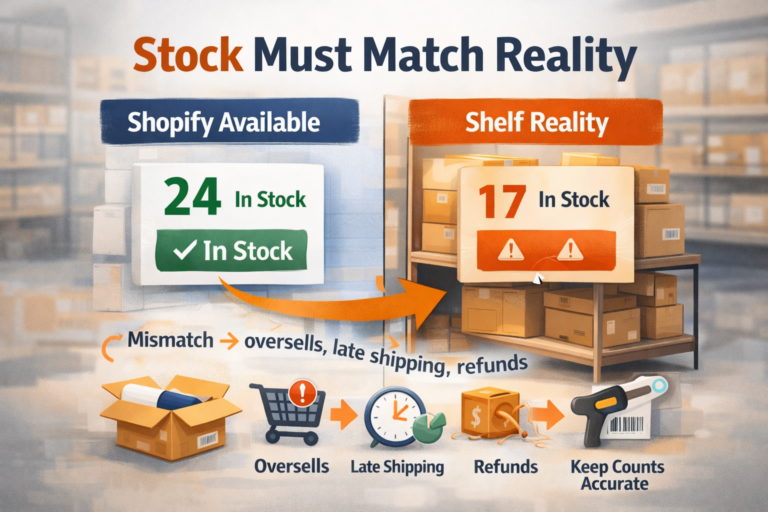
Running a Shopify store gets stressful the moment stock stops matching reality. One wrong count can trigger overselling, late shipping, refunds, and angry emails. It also works the other way: you can overbuy, tie up cash, and watch slow items sit for months.
Good stock control is simple in theory: know what you have, know what’s coming, and know when to reorder. The hard part is doing it every day across variants, bundles, returns, and multiple sales channels. This guide breaks down a practical way to keep numbers accurate, prevent sell-through surprises, and reorder before you hit zero.
In this article, you’ll learn how to:
-
Set clear SKUs and variant rules so products don’t get mixed up
-
Add safety stock and reorder points based on lead time
-
Keep counts accurate with receiving checks and cycle counts
-
Spot sync issues early when you sell on more than one channel
Signs your Shopify inventory process is costing you sales (and profit)
If your Shopify store is losing money, inventory is often the hidden cause. You don’t need a complicated system to spot the problem you need to watch for repeat symptoms that show your stock data can’t be trusted or your reorder timing is off.
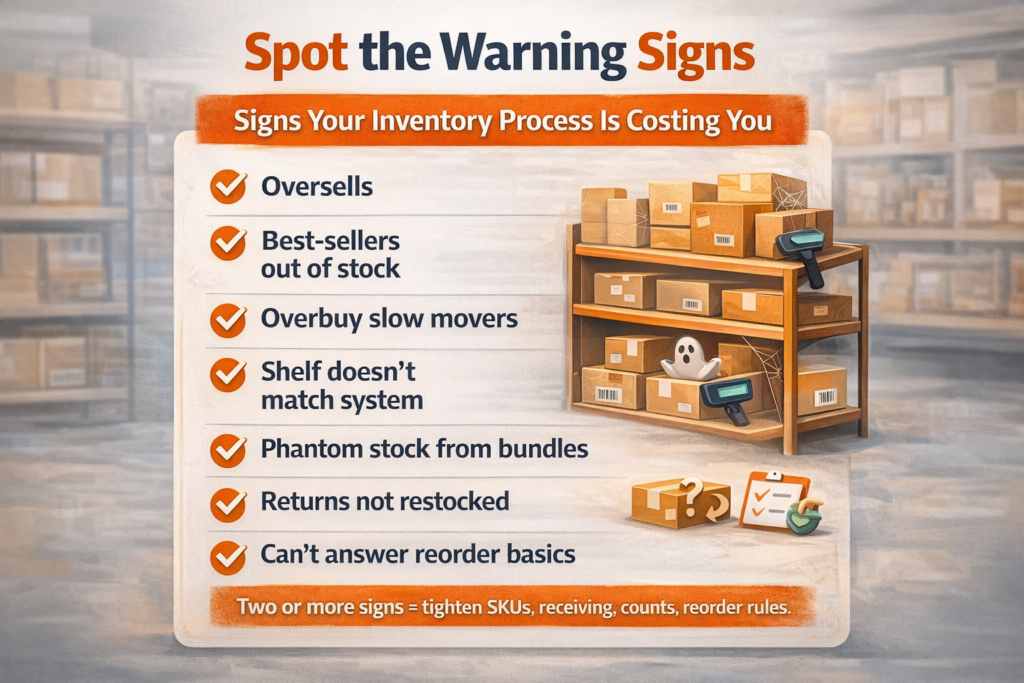
Here are the clearest signs your inventory process is costing you sales (and profit):
-
You oversell products that “show in stock.” This leads to cancellations, refunds, chargebacks, and damaged trust especially on fast-moving items.
-
Best-sellers go out of stock regularly. Stockouts don’t just lose the order in front of you. They reduce momentum, hurt ad efficiency, and push customers to competitors.
-
You overbuy slow movers. Cash gets trapped in products that don’t sell, while you’re forced to “wait for payday” to restock what actually converts.
-
Your “available” stock doesn’t match what’s on the shelf. If pickers can’t find items that Shopify says are available, you waste labour, ship late, and increase error rates.
-
Bundles and multi-packs create phantom stock. Shopify may show a bundle as available even when a component is missing, causing last-minute substitutions and cancellations.
-
Returns don’t get processed consistently. When restockable returns sit uncounted, you reorder unnecessarily or sell items that aren’t ready to ship.
-
You can’t answer simple questions quickly. If you don’t know your days-of-cover, supplier lead time, or what to reorder this week, decisions become reactive and expensive.
When you see two or more of these at once, the fix is usually not “buy more stock.” It’s tightening your SKUs, receiving, counts, and reorder rules so Shopify reflects reality every day.
The inventory basics Shopify store owners must get right first (SKUs, variants, and naming rules)
Before you add apps, barcodes, or forecasting, you need clean product data. Most Shopify inventory problems start with messy SKUs, inconsistent variant names, and product titles that mean different things to different people. When your naming isn’t strict, your counts drift, staff pick the wrong items, and reordering becomes guesswork.
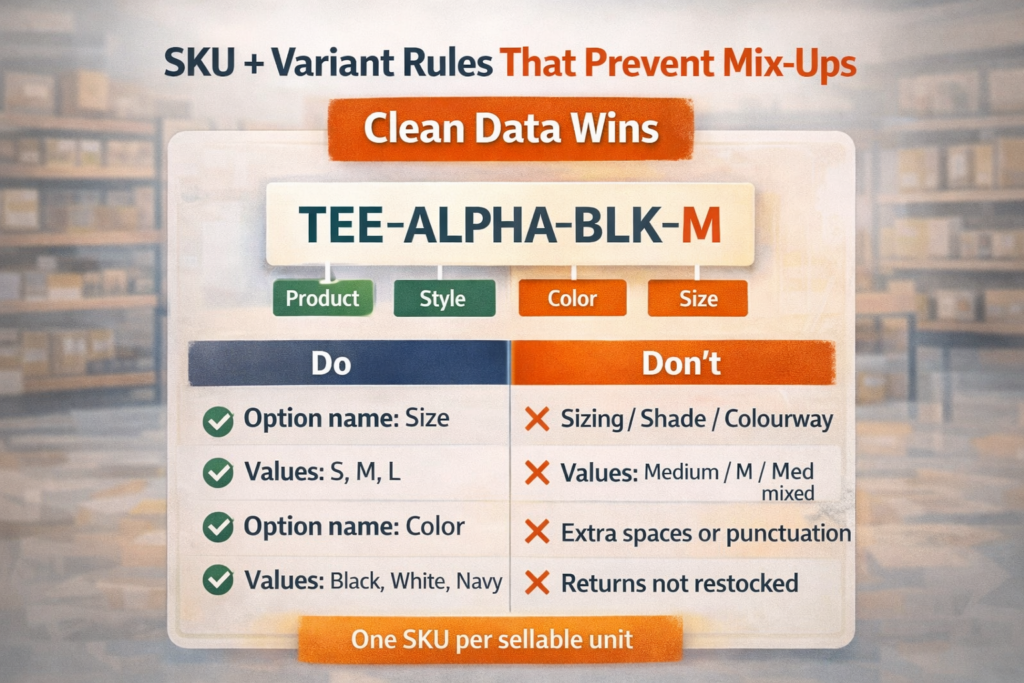
Start with SKUs that are unique, readable, and permanent. Every sellable item should have its own SKU, including each size and colour. Avoid reusing SKUs for “similar” products or changing SKUs mid-season. A simple pattern works best: brand/style + attribute codes + pack size (for example, TEE-ALPHA-BLK-M). Keep it consistent across Shopify, your warehouse, and any supplier files.
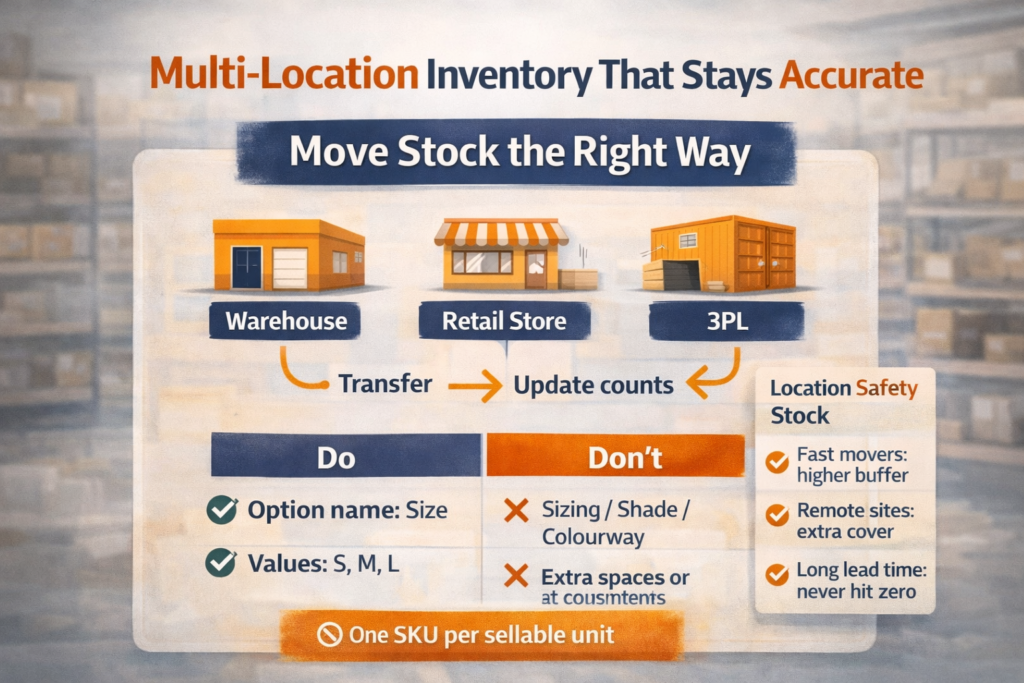
Next, standardise variants. Use the same option names everywhere (e.g., “Size” and “Colour” not “Sizing,” “Colourway,” or “Shade”). Keep values clean and predictable (S, M, L; Black, White, Navy). This prevents duplicate listings, broken reporting, and sync issues when you connect marketplaces or fulfilment tools.
Finally, set naming rules your team will actually follow. Decide how you handle bundles, multipacks, and refurbished items, and document it in one place. If a new product can’t be added without following the rules, your inventory stays accurate as you scale.
Set up locations, transfers, and safety stock for multi-warehouse selling
Multi-warehouse selling only works when Shopify reflects where stock really sits. If you treat every unit as one shared pool, you’ll oversell in one location while inventory sits untouched in another.
Start by setting up Locations properly in Shopify for each place you hold stock: your main warehouse, retail store, 3PL, and even a returns area if you process exchanges. Then assign inventory to the correct location instead of leaving everything under a default setting. This gives you clean availability, better picking, and clearer restock decisions.
Next, use Transfers whenever stock moves between locations. Don’t “adjust” counts to make numbers look right. Create a transfer, mark it in transit, and receive it at the destination. That one habit prevents the most common multi-site problem: inventory that appears in two places at once.
Finally, set safety stock per location based on risk. Fast movers need higher buffers, remote locations need extra cover, and items with long supplier lead times should never run down to zero. A simple starting rule is to hold a buffer that covers your typical lead time delays plus a few days of sales. As your data improves, you can tighten it but don’t run lean until your counts and transfers are reliable.
Reorder points and lead times: the simple rules that prevent stockouts
Stockouts usually happen for one reason: you reorder based on gut feel instead of a repeatable rule. The fix is simple set reorder points that include your supplier lead time and a small buffer for delays.
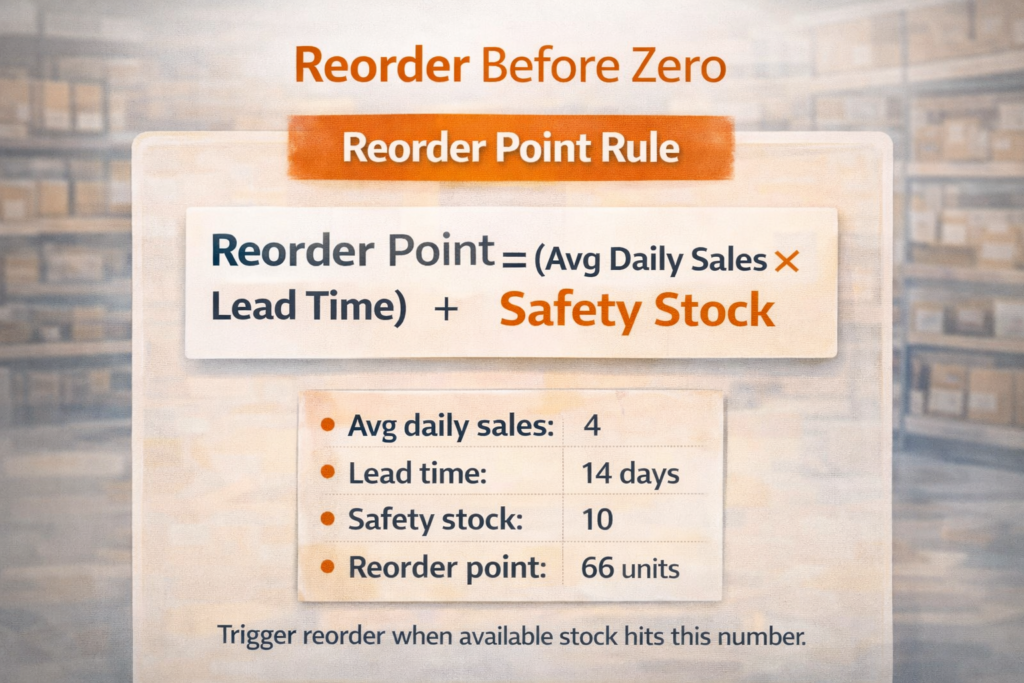
Start with two numbers for each SKU: average daily sales and lead time (the number of days between placing an order and receiving sellable stock). Then calculate a basic reorder point:
Reorder point = average daily sales × lead time + safety stock
Example: if you sell 4 units a day and lead time is 14 days, you need 56 units just to cover the wait. If you add 10 units as safety stock, your reorder point becomes 66. When available stock drops to 66, it’s time to reorder no debate.
A few rules keep this reliable:
-
Use real lead times, not what suppliers promise. Base it on your last few deliveries.
-
Review best-sellers weekly. Slow movers can be reviewed monthly, but fast movers change quickly.
-
Account for promotions and seasonality. If you plan a sale, increase reorder points before the campaign starts.
-
Don’t ignore inbound stock. Track what’s on order and when it lands, so you don’t double-buy.
When reorder points are set, purchasing becomes calm and predictable. You stop firefighting stockouts and start ordering early enough to protect revenue.
Forecasting demand without overbuying (seasonality, promos, and best-seller patterns)
Forecasting is how you stay in stock without turning your cash into dead inventory. You don’t need complex models to do it well. You need a repeatable way to spot patterns, plan for spikes, and avoid buying like every week will be your best week.
Start with your best-seller patterns. For each top SKU, look at the last 8–12 weeks of sales and find the true average, not the “good week” you remember. Separate steady sellers from trend-driven items. Steady sellers can be forecasted with simple averages. Trend items need shorter review cycles and smaller, more frequent reorders.
Next, factor in seasonality. If your products surge around holidays, summer, back-to-school, or pay cycles, compare the same period last year, then adjust for growth and marketing spend. The key is to place orders early enough to cover lead time, not when the spike has already started.
Promotions are the most common reason stores overbuy. Treat every promo like a planned event:
-
Estimate uplift based on past promos (even rough ranges help)
-
Confirm you can receive stock before the campaign launches
-
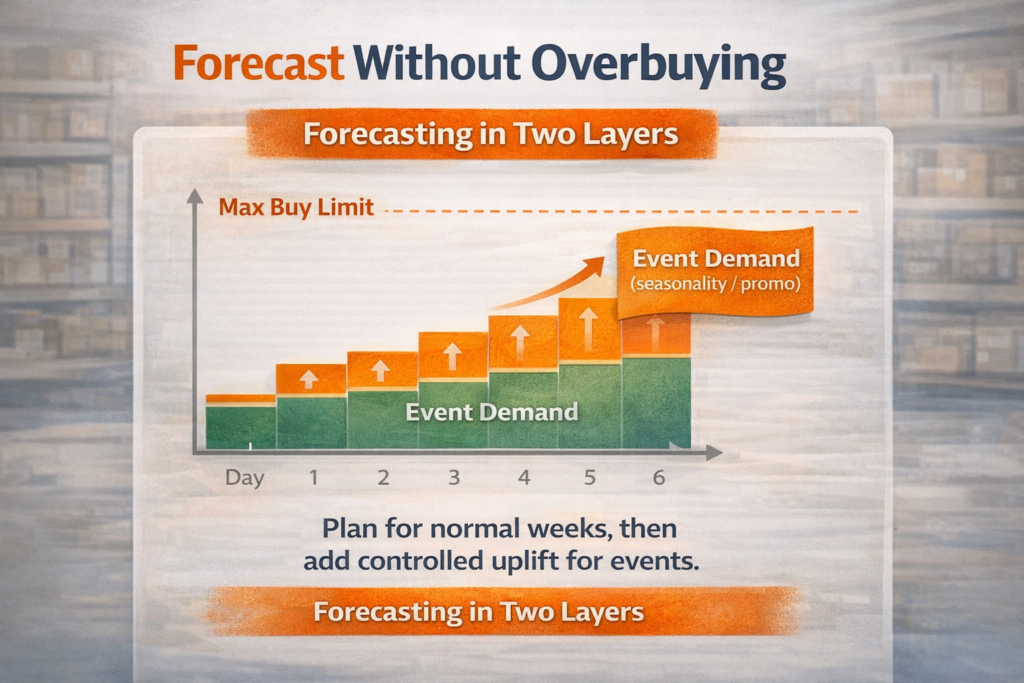
Set a “max buy” limit so you don’t chase sales that won’t repeat
A practical rule: forecast in two layers base demand (normal weeks) plus event demand (promo or seasonal uplift). Then buy to cover the base with confidence and treat the uplift as controlled risk. That approach keeps you stocked on what matters, while protecting cash from optimistic ordering.
Purchase orders, receiving, and cycle counts: keeping numbers honest every week
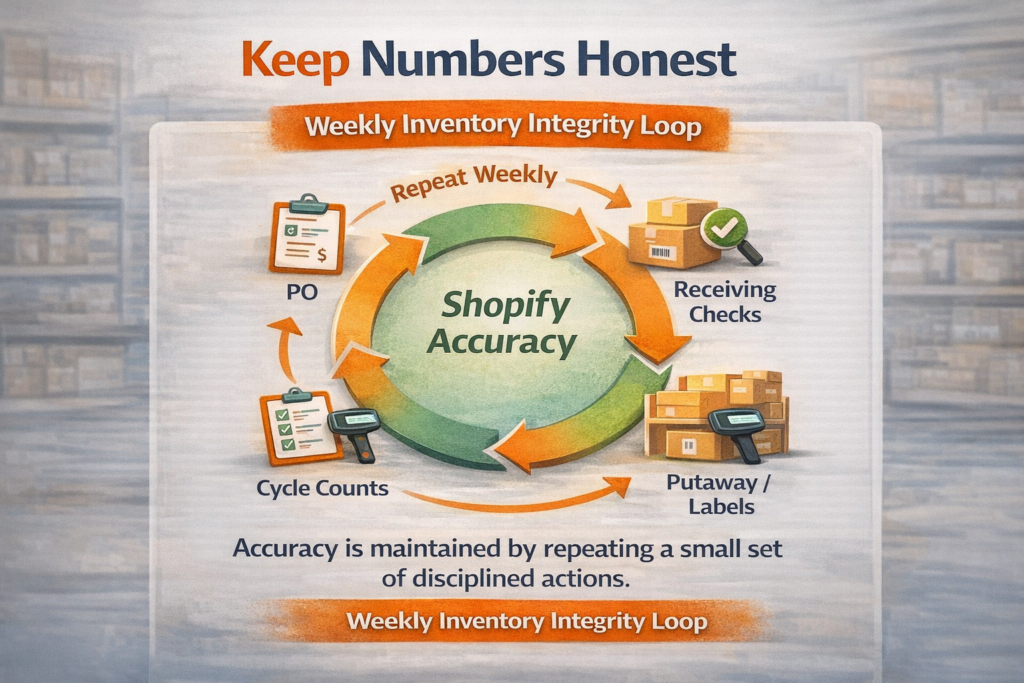
Inventory only stays accurate when you control three moments: what you ordered, what you received, and what you physically have. If any of these are loose, Shopify becomes a “best guess” system, and every reorder decision gets riskier.
Purchase orders (POs) are your source of truth. Create a PO for every supplier order, even if it’s a small top-up. A PO should include SKU, quantity, unit cost, expected delivery date, and the location it’s meant for. This gives you visibility on inbound stock and stops duplicate ordering when multiple people manage purchasing.
Receiving is where mistakes quietly enter the system. When stock arrives, don’t just mark it “received” and move on. Check quantities against the PO, inspect for damage, and confirm variants are correct. If you use barcodes, scan items into the right location. If you don’t, use a simple checklist and a second person for high-value items. Small receiving errors create weeks of mis-picks and stockouts.
Cycle counts keep numbers honest without shutting down the warehouse. Instead of doing one painful annual stocktake, count a small set of SKUs every week. Prioritise:
-
Best-sellers (most impact on revenue)
-
High-value items (most impact on profit)
-
Problem SKUs (most returns or pick errors)
When you combine strict POs, careful receiving, and weekly cycle counts, Shopify becomes reliable. Reliable inventory means fewer refunds, faster shipping, cleaner forecasting, and purchasing decisions you can trust.
Bundles, kits, and components: stop “phantom stock” in Shopify
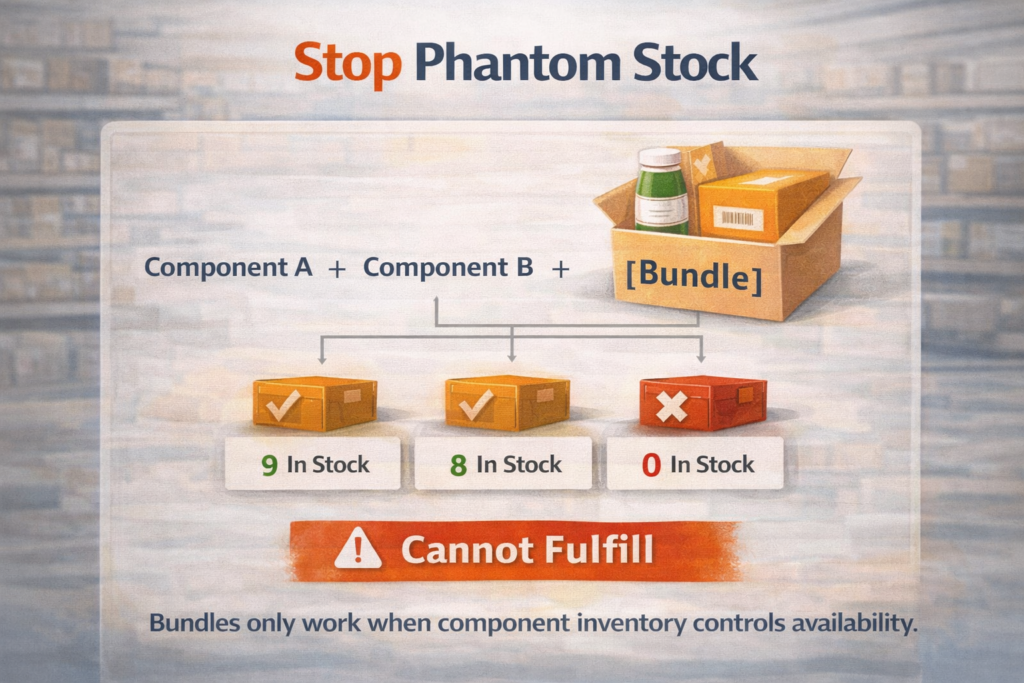
Bundles and kits are great for increasing average order value, but they also create “phantom stock” Shopify shows a bundle as available even when one component is missing. That’s how you end up cancelling orders, swapping items, or splitting shipments at the last minute.
Start by deciding what each bundle really is:
-
A true kit (you pre-assemble it and store it as a separate item)
-
A virtual bundle (you pick separate components when the order comes in)
If you pre-assemble, treat the kit as its own SKU and inventory item. When you build kits, reduce component stock and increase kit stock through a consistent internal process. This keeps picking fast and inventory clean, but it requires space and discipline.
If you bundle at order time, you need a rule that links availability to components. The safest approach is to ensure your bundle can only be sold when every component is in stock, and that component stock is reduced automatically when the bundle sells. If you don’t have that link, Shopify will oversell the bundle as long as the bundle listing looks “in stock.”
To stop phantom stock in real life:
-
Give every component a unique SKU and location
-
Avoid “shared components” unless you track them tightly
-
Flag bundles that rely on a single high-risk component (the one that runs out first)
-
Cycle count components more often than finished products
Once bundles follow component reality, your store can scale promotions and multi-item offers without creating fulfilment chaos.
Barcodes and pick accuracy: reducing mis-picks and returns at scale
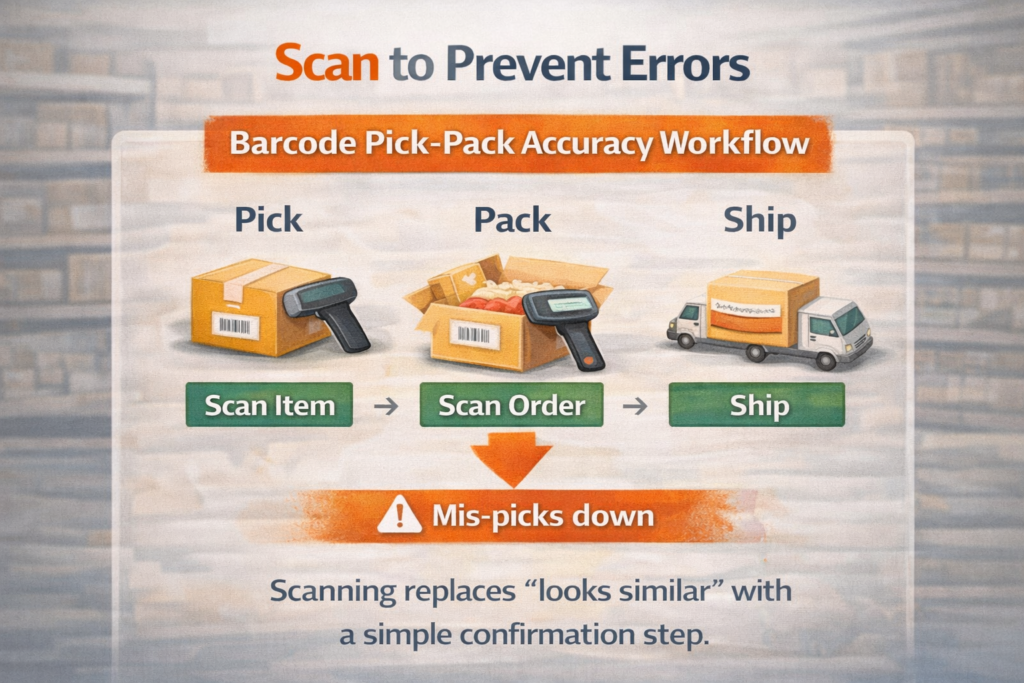
As order volume grows, most fulfilment problems come down to one thing: the wrong item in the box. Mis-picks create refunds, reships, negative reviews, and extra labour that quietly eats your margin. Barcodes are the fastest way to reduce that risk because they replace “looks similar” decisions with a simple scan-and-confirm process.
Start with the basics: every sellable unit needs a scannable code tied to the correct SKU and variant. That includes size and colour variations, multipacks, and bundles that are stored as their own item. If suppliers already provide barcodes, validate them. If they don’t, print your own labels and apply them during receiving so stock enters the shelf correctly from day one.
Then tighten your picking workflow:
-
Use bin locations and label shelves clearly, so pickers don’t hunt
-
Pick with a single picking list that matches your location layout
-
Add a scan step at pick (right item) and a scan step at pack (right order)
-
Separate lookalike items and fast movers to reduce mix-ups
Measure what matters. Track mis-picks, returns due to wrong items, and time spent fixing packing errors. When scanning is consistent, accuracy improves quickly, returns drop, and your warehouse becomes predictable even when you add staff or scale promotions.
Integrations that break inventory (and how to fix sync issues across channels)
Inventory breaks most often when Shopify isn’t the only place selling. The moment you connect Amazon, eBay, TikTok Shop, POS, a 3PL, or a dropship supplier feed, you introduce delays, mismatched SKUs, and “double counting” across systems. The result is oversells, cancelled orders, and stock that looks available on one channel but not another.
The common causes are predictable:
-
SKU mismatches between Shopify and the channel/app (one extra space can create a “new product”)
-
Duplicate listings where two records point to the same physical stock
-
Lag in updates (orders reduce stock in one system, but the other updates minutes later)
-
Multi-location confusion where channels pull from the wrong location or ignore reserved stock
-
Bundles and kits that aren’t linked to component inventory on every channel
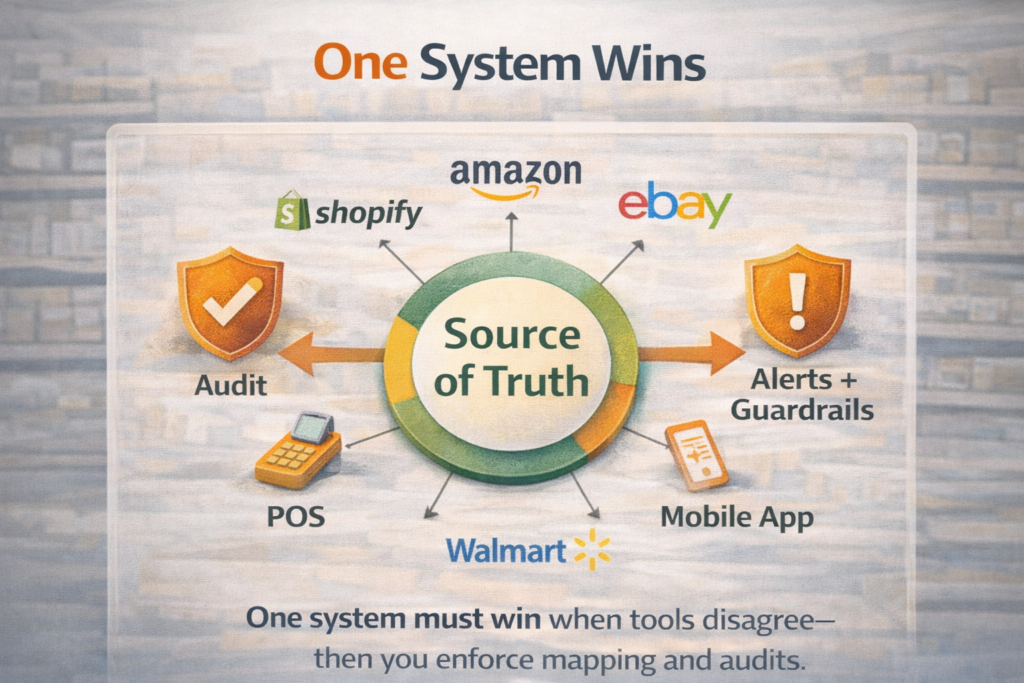
To fix sync issues, make your inventory rules simple and enforce them everywhere. First, pick one system to be your source of truth for stock counts. For many Shopify stores, that means Shopify is the master, and every channel “reads” availability from Shopify. In other setups, a dedicated inventory platform or 3PL becomes the master. What matters is having one place that wins when systems disagree.
Next, standardise your data:
-
One SKU per sellable unit, no exceptions
-
One naming format for variants across all tools
-
Clear mapping tables for channels that use their own identifiers
Then audit your flow weekly:
-
Compare Shopify stock against physical counts for top SKUs
-
Check a sample of orders from each channel and confirm inventory reduced correctly
-
Review app logs for failed syncs, rate limits, or disconnected accounts
Add guardrails: reserve safety stock for marketplace sales, pause listings automatically when stock is low, and set alerts for negative inventory. When integrations are controlled like this, you can sell everywhere without turning inventory into chaos.
Choosing an inventory management app for Shopify: what to compare before you switch
Switching inventory apps is a business decision, not just a software upgrade. The wrong tool can create weeks of stock drift, broken listings, and confused staff. Before you move, compare apps on the things that actually affect accuracy, fulfilment speed, and cash flow.
What to compare before you switch:
-
Your operating model: single warehouse, multi-location, retail + online, or 3PL. The app must handle your real setup without workarounds.
-
SKU and variant control: strict SKU mapping, barcode support, and clean variant handling (especially for size/colour-heavy catalogs).
-
Bundles and kitting: can it link bundles to components properly and prevent phantom stock across channels?
-
Purchase orders and receiving: fast PO creation, partial receipts, backorders, landed cost options, and audit trails for changes.
-
Reorder and forecasting tools: reorder points, lead times, safety stock per location, and simple forecasting you can trust.
-
Integrations and sync reliability: marketplaces, POS, WMS/3PL, accounting, shipping tools plus clear logs for failures and retries.
-
Stock reservations: ability to reserve stock for orders, transfers, B2B, or pre-orders so availability stays real.
-
Reporting that matches decisions: days of cover, sell-through, aging inventory, stockouts, and reorder suggestions by supplier.
-
User permissions: controls for who can adjust stock, receive POs, edit SKUs, and approve transfers.
-
Total cost to switch: subscription + onboarding + barcode hardware + training time + data cleanup (often the biggest cost).
A smart approach is to pilot with a small set of high-volume SKUs first. If the app can keep your best-sellers accurate across locations and channels, it’s usually a safe sign it can handle the rest.
Author Bio:

Ben Ajenoui is the Founder of SEO HERO LTD, a Hong Kong based SEO agency helping startups and established businesses improve search visibility, drive organic growth, and build sustainable online performance. He specialises in SEO strategy, technical optimisation, and content-led growth.