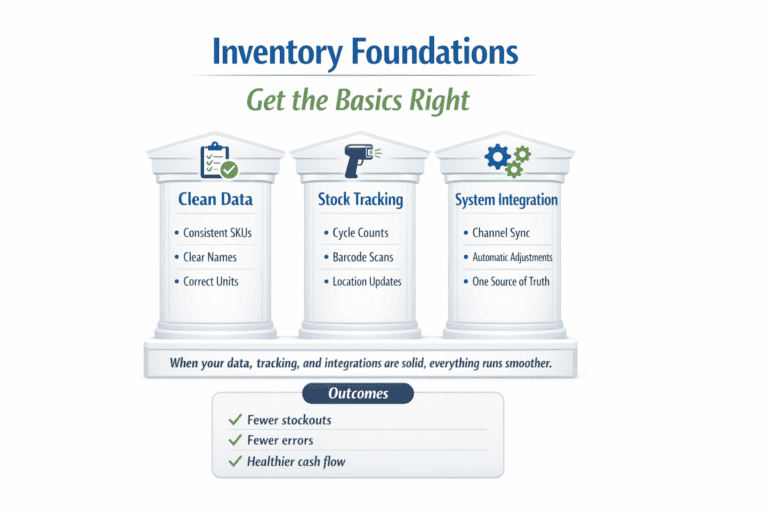
Good inventory management keeps the right items available, gets orders out on time, and reduces customer complaints. When your counts are accurate, you tie up less cash in dead stock and avoid costly rush reorders. Keeping your product data clean and updating it often also helps you spot problems early, like slow movers, missing variants, and pricing or SKU mistakes that cause fulfillment errors.
Connecting ShipStation with your store and sales channels keeps inventory aligned in one place. When stock changes, updates roll through faster, which helps reduce oversells and “sorry, it’s out of stock” emails. Reporting helps you see what sells, what sits, and when demand spikes, so you can buy with more confidence and plan promotions without breaking fulfillment. The biggest wins usually come from fixing the basics: consistent SKUs, clear locations, simple receiving steps, and a workflow your team can follow every day.
ShipStation inventory management gives online retailers a way to track stock, process orders, and keep product quantities aligned across selling platforms. It shows current inventory levels, lets you set low-stock alerts, and supports managing products from a single dashboard. That reduces manual updates and helps prevent overselling. For teams shipping from more than one place, it also supports multiple warehouse locations and inventory tracking by location. Built-in reporting highlights best-sellers and items that need reordering, making it easier to keep popular products available without overbuying.
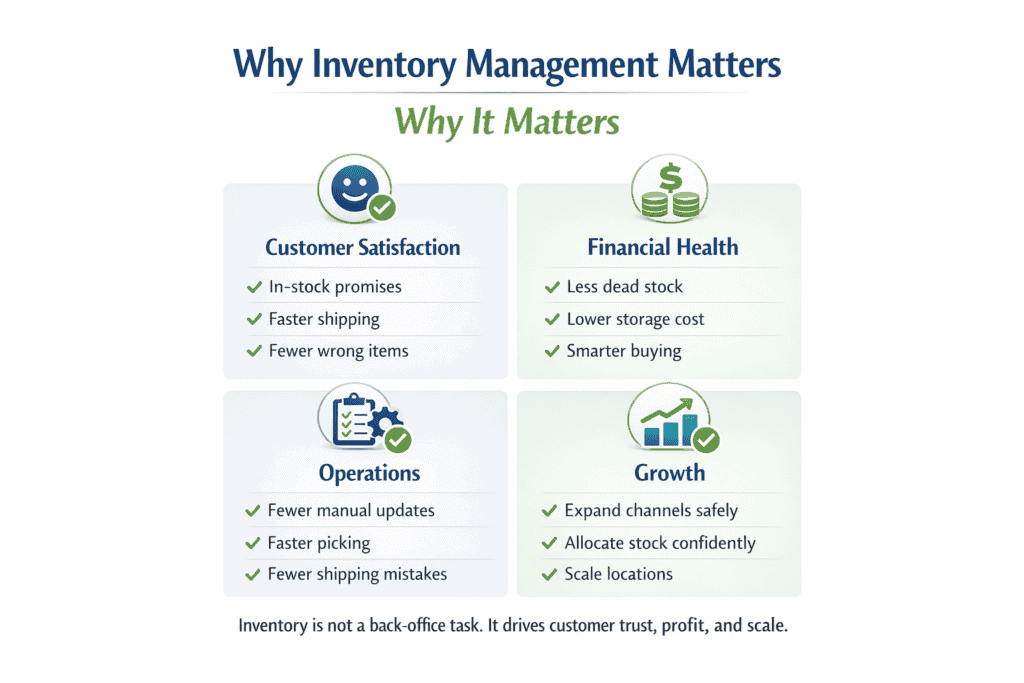

Common Inventory Management Challenges
Inventory issues show up fast: late shipments, cancelled orders, and cash tied up in the wrong products. When counts can’t be trusted, teams waste time checking shelves, customers lose patience, and forecasts stop matching reality.

Most problems come from the same few causes. Fix the process and the numbers usually follow.
Inaccurate Data
Spreadsheets and inconsistent tracking are the usual culprits. One missed entry, one duplicate update, or one product logged under the wrong SKU can throw off your stock count. That leads to two expensive outcomes: you sell items you don’t have, or you stop selling items you do have.
The fix is consistency. Use one tracking method across every channel and location. Train staff to follow the same rules for SKUs, variants, and location labels. Add barcode scanning where possible so stock updates happen during receiving, picking, and returns not hours later. Replace “once-a-year stocktake” thinking with regular cycle counts so errors get caught while they’re still small.
Overselling
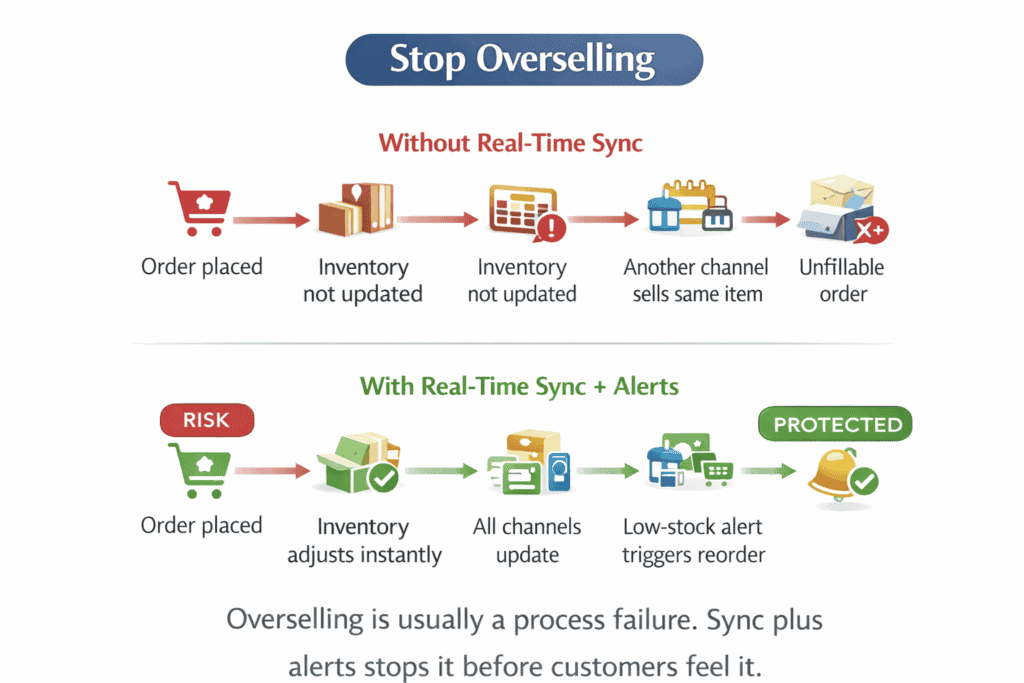
Overselling happens when your stock count is wrong or updates lag behind orders. You take payments for items you can’t ship, then spend the next day issuing refunds, answering angry emails, and trying to win back trust.
Preventing it starts with tighter stock control. Base reorder points on past sales and seasonality, then watch for changes promotions, holidays, or supplier delays. Use low-stock thresholds and keep quantities synced across every channel so the same unit can’t be sold twice. Just as important: standardize how your team receives stock, picks orders, and processes returns, because most oversells begin with a missed update or a sloppy SKU match.
Inefficient Processes
Slow, messy workflows create avoidable mistakes. If staff rely on paper notes, memory, or “we’ll update it later,” inventory drift builds up quickly especially when order volume rises.
Fix it by tightening the flow:
-
Map how stock moves today (receiving → put-away → picking → packing → returns).
-
Remove steps that don’t add value or cause repeat rework.
-
Move updates into the moment the stock moves, not the end of the shift.
-
Use one central place for inventory activity so every team checks the same numbers.
Review the process regularly. A workflow that works in a quiet month often breaks during peak weeks, so keep refining before it turns into delays and mis-shipments.
Poor Forecasting
Poor forecasting shows up in two ways: you overbuy products that sit, or you run out of the items customers actually want. Both cost money one through storage and markdowns, the other through missed sales and rushed replenishment.
Use your sales history to set a baseline, then adjust for seasonality, promotions, and lead times. Watch sales velocity so you can spot winners early and slow movers before they become dead stock. Talk to suppliers about realistic lead times and failure points, and keep a small safety buffer on your highest-risk items best-sellers, long lead-time products, and anything affected by seasonal spikes.
Optimizing ShipStation Inventory Integration
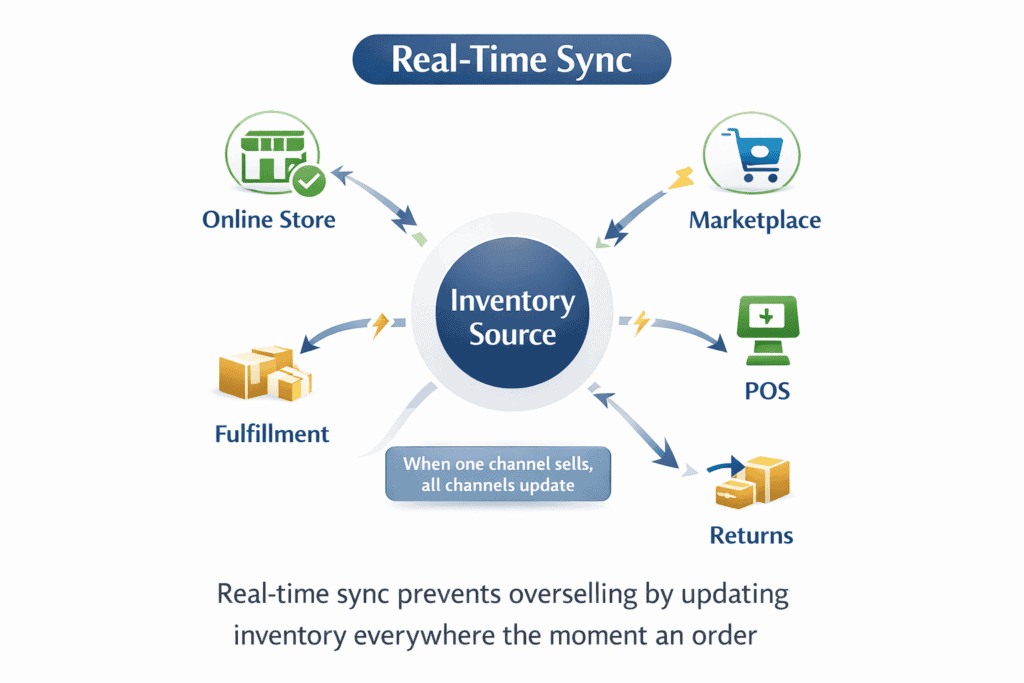
ShipStation helps you track stock, ship orders faster, and manage returns. When you connect it to an inventory platform, you keep sales channels, warehouses, and product records in sync so your team works from the same numbers.
What the integration should deliver
-
Real-time inventory sync: Updates stock as orders are placed and shipped, reducing oversells and stockouts.
-
Multi-channel control: Keeps quantities aligned across your store, marketplaces, and POS.
-
Faster shipping workflows: Cuts manual steps so orders move from purchase to label to dispatch without delays.
-
Accurate product mapping: Matches SKUs, variants, and order data between systems to prevent picking errors.
-
Returns handling: Makes returns easier to track and process, keeping counts accurate after refunds and exchanges.
-
Cost visibility (COGS): Helps you understand product cost and margin so you can plan purchasing and cash flow.
Keep stock numbers reliable
Real-time sync works only when your data is consistent. Clean SKUs, standardized variant naming, and one “source of truth” prevent mismatches across platforms. Use mismatch alerts and reporting to catch problems early, then fix the cause receiving errors, unprocessed returns, or duplicate SKUs not just the count. Train staff to follow the same data rules so updates don’t depend on who is on shift.
Set up locations properly
Location tracking speeds picking and reduces shipping mistakes. Use clear location codes that match your warehouse layout (for example, “Aisle 3, Bin 2”) and require the same format every time. Keep location fields current, audit them against real shelves, and add locations to packing slips so pickers don’t guess.
Fulfillment rules should match how you operate: route orders to the best location based on stock, distance, carrier service, and order patterns. Store best-sellers close to packing stations and use FIFO for time-sensitive stock.
Use inventory data to buy and stock smarter
Inventory data is most useful when it guides purchasing. Watch sales velocity and seasonality to reduce overbuying and prevent stockouts. Coordinate with marketing before promotions so you don’t create demand you can’t fulfill. Review forecasts often because trends change quickly.
Track a short set of numbers that show whether the system is working:
-
Inventory turnover
-
Stockout frequency
-
Fulfillment accuracy
-
Days of inventory on hand
-
Backorder rate
Stay ahead of issues
Use low-stock and mismatch alerts to trigger action early. Review alert thresholds before peak seasons and after major catalog changes. Automate routine tasks inventory updates, shipment notifications, and order routing so accuracy doesn’t rely on manual cleanup. Protect inventory data with role-based access, regular backups, and staff training on secure handling.
Summary
A strong ShipStation inventory integration comes down to three things: synced quantities across channels, clean product data, and clear location tracking. When those basics are in place, shipping runs faster, oversells drop, returns are easier to process, and purchasing decisions rely on real demand instead of guesswork.
Keep reading: see our full guide to stock management, or read about AI for inventory and operations.