Amazon Pay Review | Does a Familiar Checkout Win You More Sales?
Reviewed by the EcommerceViews editorial team · How we review · Published 30 September 2026
Overall score: 7.2/10
Starting price: 2.7% + £0.30 per transaction
Monthly fee: None
Best for: UK online stores whose customers already shop on Amazon and want a faster checkout
A shopper lands on your store, finds what they want, then reaches a checkout form asking for their address and card details all over again. Many close the tab right there. Amazon Pay tries to fix that moment by letting people pay with the details already saved in their Amazon account. This review looks at how Amazon Pay works for UK sellers, what it costs, and whether the added checkout button is worth the fees.
What Amazon Pay Actually Is
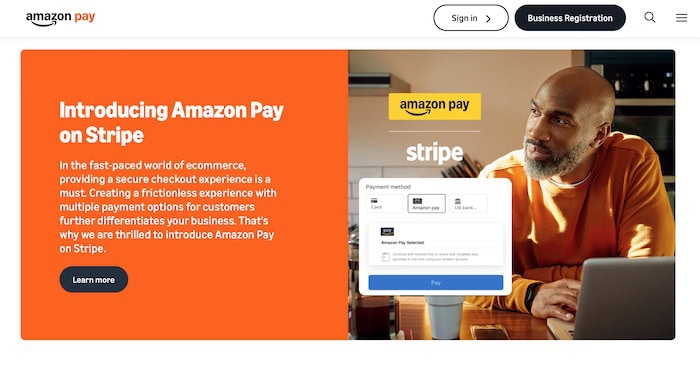
Amazon Pay is a payment option you add to your own online store, next to your card payments and PayPal. It is not the Amazon marketplace, and you do not list products on Amazon to use it. A shopper clicks the Amazon Pay button, signs in to their Amazon account, and picks a saved card and delivery address. The order then completes on your website. You keep the customer and the order. Amazon handles the payment and sends the money to your Amazon Pay account.
Getting Started
Setup starts with a free Amazon Pay merchant account, which asks for business and bank details. Approval can take a while, sometimes a few weeks, so apply before you need it. Once approved, you connect it to your store. Amazon Pay works with Shopify, WooCommerce, BigCommerce, Adobe Commerce, and PrestaShop, and on Shopify you switch it on from the Payments settings with your account details. One thing to know early: Amazon Pay orders are paid out through your Amazon Pay account, not through Shopify Payments. That means a second set of payouts and reports to match against your orders each month.
Pricing: What You Actually Pay
For UK sellers taking under £50,000 a month through Amazon Pay, each domestic payment costs 2.7% plus 30p. There is no setup or monthly fee. Payments from cards issued outside the UK, EEA, and Switzerland carry an extra cross-border fee. It is 2% for cards from the US and Canada and up to 3.3% for most other countries. Currency conversion adds a 0.5% spread above the wholesale rate. A chargeback you lose, or one not covered by Amazon’s Payment Protection Policy, costs £14 plus VAT. Sellers above £50,000 a month can ask Amazon for lower rates.
Real cost estimate: A store taking £10,000 a month through Amazon Pay at an average order of £40 pays about £345 in fees, roughly 3.5% once the 30p charge is counted. That is noticeably more than Stripe or Shopify Payments charge for a standard UK card. The extra cost only pays off if the Amazon Pay button brings in orders you would have lost otherwise.
When you refund an order, Amazon returns the percentage fee, but it keeps the 30p charge.
What Works Well
✓ Checkout takes a few clicks. Shoppers skip typing their address and card number. On a phone, where long forms lose the most buyers, this is where Amazon Pay earns its keep.
✓ Customers trust the name. First-time visitors who are unsure about a small shop often feel safer paying through an account they already use. The A-to-z Guarantee gives them a route to a refund if something goes wrong.
✓ You keep the customer. Unlike selling on the marketplace, the order happens on your site. You get the customer’s name, email, and delivery address for follow-up and repeat sales.
✓ Chargeback protection helps on eligible orders. If an order meets the Payment Protection Policy rules and you send the requested documents in time, Amazon covers certain fraud chargebacks and waives the £14 fee.
Where It Falls Short
✗ Fees sit above most card processors. 2.7% plus 30p costs more than the standard UK card rates offered by Stripe or Shopify Payments. On low-value orders, the 30p charge takes a bigger share.
✗ It only helps shoppers with Amazon accounts. That covers a large share of UK buyers, but Amazon Pay does not replace your main card payment option. It adds to it, so you pay for another integration and another set of reports.
✗ Payouts and reserves can slow your cash. New accounts can face a hold on early payouts and a rolling reserve while Amazon builds trust in your business. Check the terms on your own account before relying on it for cash flow.
✗ Approval and support can be slow. Getting approved can take weeks, and support mostly runs through online forms and chat. If your account gets flagged, sorting it out can take time.
Who Should Use Amazon Pay
Amazon Pay suits UK stores with a lot of mobile traffic, first-time visitors, or mid-priced orders where a slow checkout loses sales. It works best as an extra button beside your main payment provider, not a replacement. If your checkout data shows many shoppers leaving at the payment step, it is worth a trial.
Who Should Look Elsewhere
If your margins are thin or your orders are small, the fee gap against Stripe or Shopify Payments will add up quickly. Stores that already offer Apple Pay, Google Pay, and PayPal may see little gain, since those options already remove the form-filling. And if you sell mostly to buyers outside the UK and Europe, the cross-border fees push the cost higher still.
Our Verdict
Amazon Pay does one thing well: it makes paying on your store as easy as buying on Amazon. For shoppers who trust the brand and hate filling in forms, that can turn a lost cart into a sale. The catch is price. At 2.7% plus 30p, it costs more than most UK card processing, and the separate payouts add admin. Add it alongside your main payment option, then compare your checkout completion rate before and after. If more people finish paying, the extra fee is likely worth it. If not, remove it.
Compare with: PayPal review · Stripe review · Square review · Also see: payment gateway fees compared
Score Breakdown
| Category | Score |
|---|---|
| Ease of use | 8.0/10 |
| Fees and value | 6.0/10 |
| Checkout experience | 8.5/10 |
| Customer support | 6.0/10 |
| Fraud protection | 7.5/10 |
| Integrations | 7.0/10 |
| Overall score | 7.2/10 |