Picking the wrong ecommerce platform costs more than the monthly fee. You notice it later, in payment fees that cut into every sale or in a migration that knocks your pages down Google. That’s true whether you run a hosted store or a WordPress site with WooCommerce.
This guide compares 10 platforms, from hosted builders like Shopify and Wix to self-hosted software like WooCommerce and OpenCart. For each one, you’ll see what it costs once apps and payment fees are added, and which kind of business it suits.
What Is an Ecommerce Platform
An ecommerce platform is the software you use to build and run an online store. You add products, take payments and manage orders from one dashboard. A candle maker on Shopify, for example, can list 50 candles and print shipping labels from the same screen where new orders come in.
Here’s what an ecommerce platform typically manages:
- Product catalog: where you add items, descriptions, images, and pricing
- Shopping cart: tracks what customers select during their browsing session
- Checkout and payments: collects payment information and processes transactions securely
- Order management: tracks purchases from payment through delivery
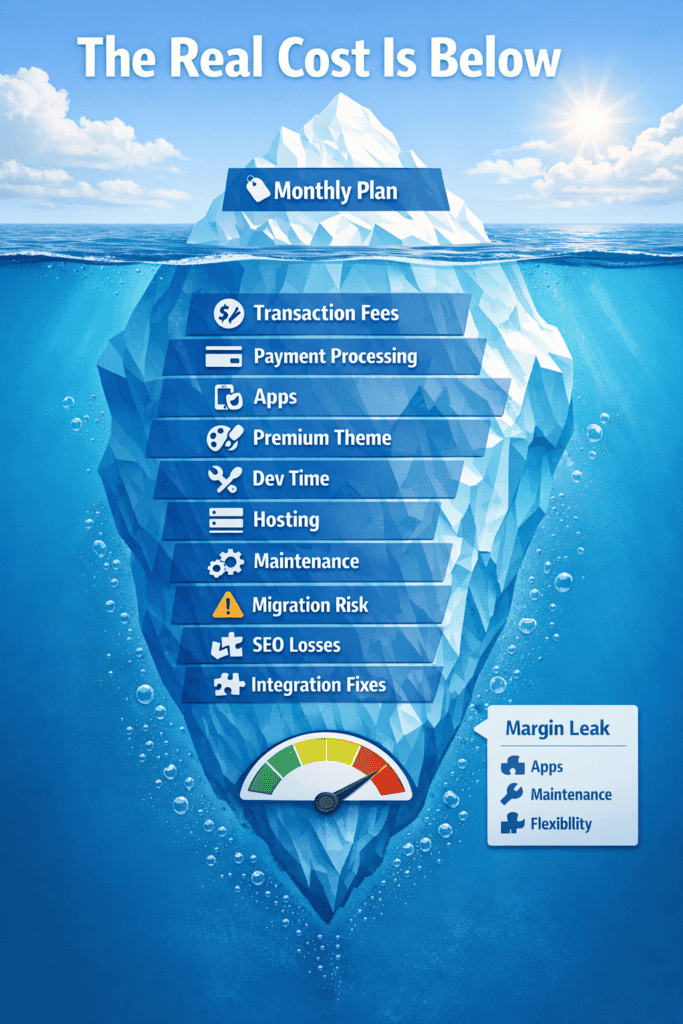
This is different from selling on a marketplace like Amazon or eBay. On your own store you control the branding and keep the customer data. On a marketplace you’re one seller among thousands, on someone else’s site and under their rules.
Types of E-commerce Platforms
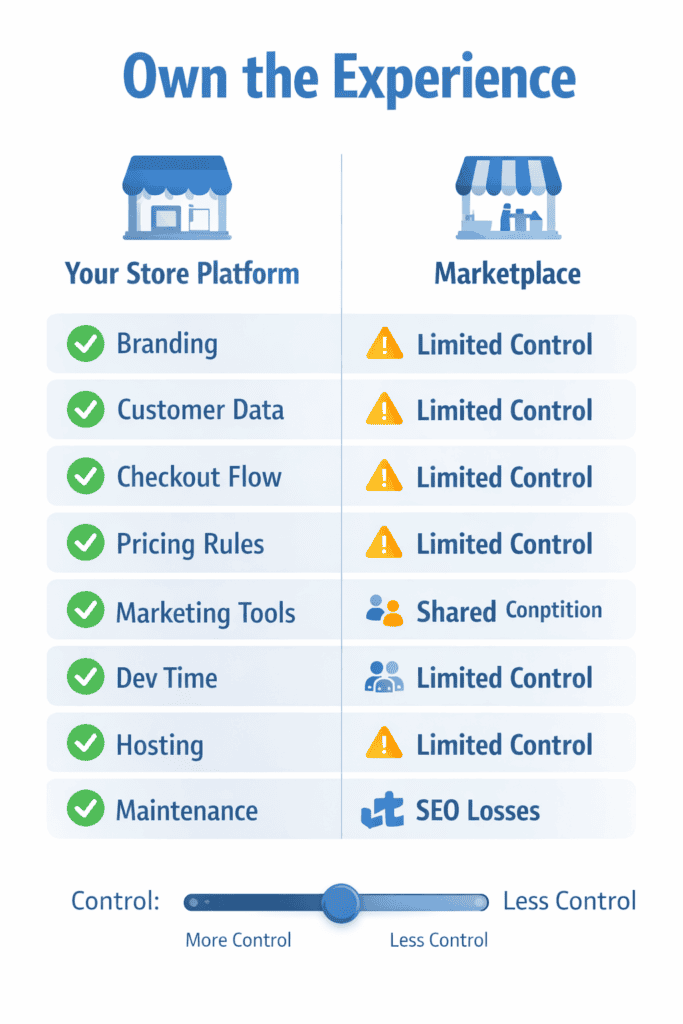
The type of platform you choose affects how much control you have, how much technical work you take on, and where your monthly costs land.
SaaS Ecommerce Platforms
SaaS stands for Software-as-a-Service. The ecommerce provider hosts everything on their servers and handles security updates, backups, and technical maintenance. Shopify, BigCommerce, and Wix operate this way.
You get an easier setup in exchange for less control. You pay a monthly fee and the provider looks after the servers, so your time goes on products and orders instead.
Open Source Ecommerce Platforms
Open source means free software you download and host yourself. WooCommerce, PrestaShop, and Magento Open Source fall into this category.
A WordPress blogger adding WooCommerce to sell digital downloads pays nothing for the plugin itself. However, hosting runs around $20/month, and security updates become the blogger’s responsibility. You can change anything, but when something breaks, fixing it is your job too.
Headless and Composable E-commerce platform
Headless architecture separates the front-end (what customers see) from the back-end commerce engine. Composable commerce takes this further, letting you mix-and-match specialized tools via APIs.
This approach typically suits larger businesses with developer teams. For most sellers under $1M a year, the extra developer cost isn’t worth it. Our guide to monolithic vs headless vs composable ecommerce compares all three in more detail.
Which Ecommerce Platform Is Best for Beginners?
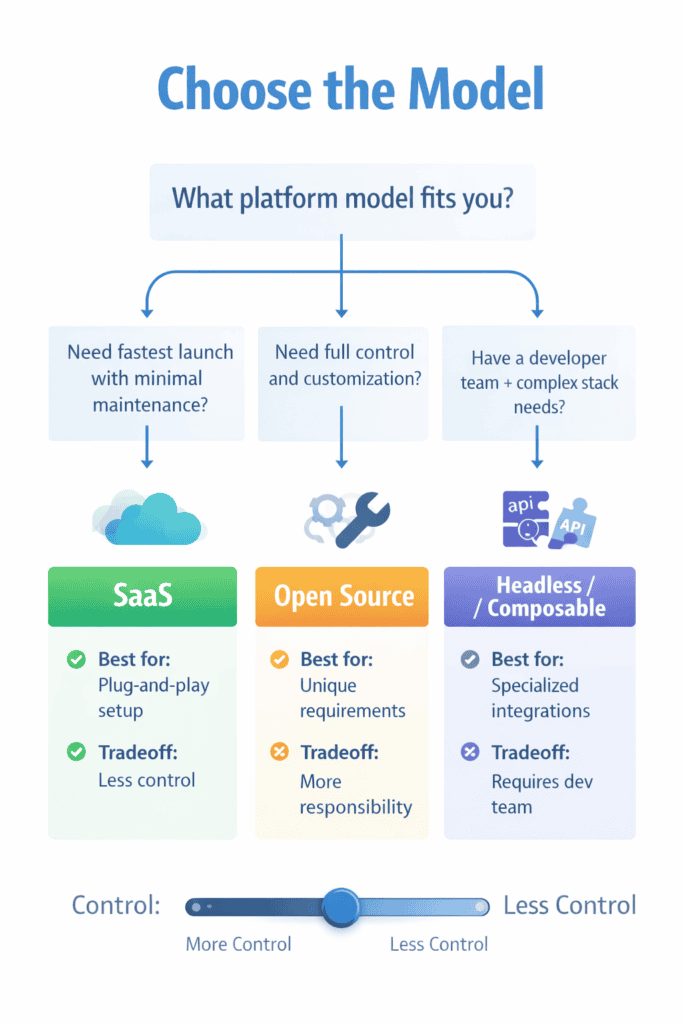
Beginners usually do best with a platform that is quick to set up, has predictable costs, and does not need technical work to keep running. For most people starting out, that means a hosted platform such as Shopify, Wix or Squarespace: hosting, security and updates are handled for you, and setup guides walk you through adding products and taking payments. The trade-off is a monthly fee and paid apps, which add up over time.
Self-hosted platforms such as WooCommerce, PrestaShop or OpenCart have no platform fee, but you pay for hosting and take on installation, updates, security and backups yourself, or pay someone to. They suit beginners who are comfortable with technical tasks or already have a developer. Whichever route you choose, work out your first-year costs in full (plan or hosting, apps or extensions, themes, payment fees and your own time) before committing.
How to Choose the Best Ecommerce Platform for Your Business
Picking a platform involves weighing several factors against your specific situation. What works for a jewelry maker selling 50 items won’t suit a wholesaler with 10,000 SKUs.
Pricing and Total Cost of Ownership
Monthly subscription fees are just the starting point. Apps, premium themes, and transaction fees add up quickly.
A “free” platform like WooCommerce still requires hosting, SSL certificates, and paid plugins for things like live shipping rates or subscriptions. Before committing, calculate what you’ll actually pay at your expected sales volume.
Ease of Use and Time to Launch
How quickly can someone without coding experience get a store live? With a drag-and-drop builder you can do it yourself. Other platforms need a developer from day one.
A jewelry seller with a few dozen products could launch on Squarespace in a weekend using a template. On Magento, the same store would likely need a developer and several weeks of work. That gap matters if you’re still testing whether anyone will buy.
Scalability for Growing Businesses
A platform handling 10 orders daily might struggle at 500. Page load speed, checkout capacity, and inventory sync often break at scale.
Many sellers start to hit limits once they add a second sales channel or a warehouse. Some plans also cap sales: BigCommerce’s Core plan, for example, moves you up a tier after $30,000 in yearly sales. Check the next plan’s price before you start, so growth doesn’t force a rushed move later.
Payment Processing and Transaction Fees
Transaction fees are percentages taken per sale beyond what your payment processor charges. Shopify, for example, adds 2% per sale on its Basic plan if you use a payment provider other than Shopify Payments. BigCommerce does the same if you skip its built-in providers.
On $10,000 monthly revenue, a 2% transaction fee costs $200/month. That’s $2,400 annually, which directly affects your margins.
Multichannel and Marketplace Integration
Selling on Amazon, eBay, Walmart, Facebook, and your own site simultaneously requires inventory sync. Without it, you risk overselling products you don’t have.
Good multichannel tools keep one stock count across every channel. A sale on eBay lowers the number on your own site too, so you’re not fixing a spreadsheet at the end of the day.
SEO and Marketing Tools
Built-in SEO tools such as custom URLs, meta titles and a blog help your pages show up in Google. Abandoned-cart emails bring back shoppers who left at checkout.
If 200 carts a month are abandoned at an $80 average order, winning back 10% of them adds about $1,600 a month in sales without extra ad spend.
App Ecosystem and Third Party Integrations
No platform does everything natively. Apps fill gaps for shipping, accounting, reviews, and email marketing.
Check that the tools you can’t run without, like your accounting or shipping software, connect properly, and add up what the apps will cost each month. Leaning on lots of apps can push a $79 plan past $300 a month.
Customer Support and Documentation
Support differs a lot from one platform to the next. Some offer 24/7 chat while others provide email-only or community forums.
When checkout breaks at 2am on a Saturday, response time matters. Some platforms reserve better support for higher pricing tiers, so know what you’re getting before problems arise.
True Cost of Ecommerce Platforms Including Fees and Apps
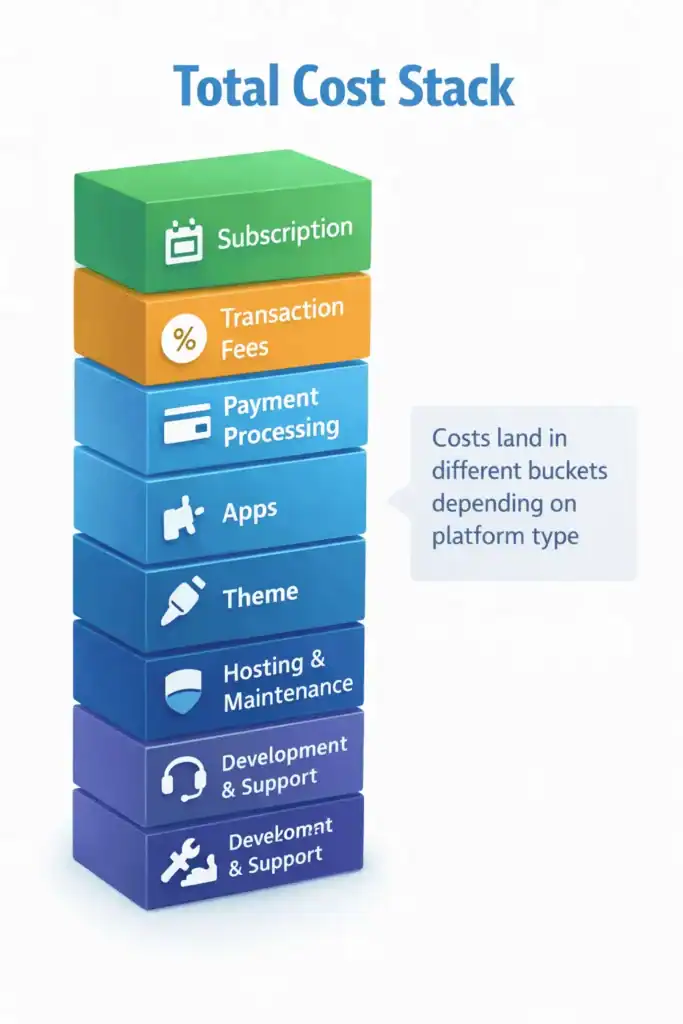
The price on a pricing page is rarely what you end up paying. To get the real figure, add the plan, the payment fees, the theme and your apps together.
Monthly Subscription Pricing
| Platform | Starter Plan | Mid-Tier Plan | Top Plan |
|---|---|---|---|
| Shopify | $39/mo | $105/mo | $399/mo (Plus from $2,300) |
| BigCommerce | $39/mo | $105/mo | $399/mo (Performance from $1,499) |
| Wix | $29/mo | $39/mo | $159/mo |
| Squarespace | $25/mo | $39/mo | $139/mo |
| Square Online | Free | $49/mo | $149/mo |
These are monthly-billing prices. Paying yearly cuts them by about a quarter on Shopify, BigCommerce and Squarespace.
Transaction Fees and Payment Processing
Payment processor fees (Stripe, PayPal) run around 2.9% + $0.30 per transaction regardless of platform. Platform transaction fees stack on top.
Shopify adds 0.6% to 2% per sale unless you use Shopify Payments. BigCommerce works the same way: no extra fee with its built-in payment providers, 0.6% to 2% with your own. WooCommerce, OpenCart and other self-hosted platforms charge nothing beyond your processor.
Theme and App Costs
Free themes exist, but premium themes run $150-$350 one-time. Apps range from free to $50+/month each.
A typical store runs 5-10 apps. Seven apps averaging $20/month adds $140 monthly on top of your platform fee.
Total Platform Cost at Different Revenue Levels
| Annual Revenue | Shopify Basic (est.) | BigCommerce (est.) | WooCommerce (est.) |
|---|---|---|---|
| $50,000 | $150/mo | $120/mo | $80/mo |
| $250,000 | $350/mo | $280/mo | $150/mo |
| $1,000,000 | $800/mo | $500/mo | $300/mo |
Estimates include typical app costs and transaction fees. WooCommerce costs assume managed hosting and the usual paid plugins.
Ecommerce Platform vs Ecommerce Hosting
SaaS platforms include hosting in your subscription. Shopify manages the servers. Open source platforms require separate hosting purchases.
- SaaS platforms (Shopify, BigCommerce): hosting included, platform manages servers
- Open source (WooCommerce, Magento): you arrange and pay for hosting separately
- Managed WooCommerce hosting: specialized hosts handle WordPress optimization for $30-$100/month
Calling WooCommerce free and Shopify paid hides the real comparison. Both cost money. You just pay for different things.
10 Best Ecommerce Platforms Compared
Here are the 10 platforms we compared. For each one, you’ll see what type of platform it is, who it suits and where it falls short. Prices are the cheapest plan that can sell online, on monthly billing, checked in October 2026.
| # | Platform | Type | Best For | Starting Price |
|---|---|---|---|---|
| 1 | Shopify | SaaS | Beginners to mid-size businesses | $39/mo |
| 2 | BigCommerce | SaaS | Scaling businesses & B2B | $39/mo |
| 3 | WooCommerce | Open Source | WordPress users, budget-conscious | Free (+ hosting) |
| 4 | Opencart | Open Source | Small and mid-size stores that want low running costs | Free |
| 5 | Wix eCommerce | SaaS | Small businesses that want to design the site themselves | $29/mo |
| 6 | Squarespace Commerce | SaaS | Creatives, brands prioritising aesthetics | $25/mo |
| 7 | Ecwid | SaaS | Adding a store to an existing website | $5/mo |
| 8 | Adobe Commerce / Magento | Open Source / Enterprise | Large businesses with developer teams | Free / Custom |
| 9 | Shift4Shop | SaaS | US-based sellers wanting no monthly fees | Free plan (US, Shift4 payments; check terms) |
| 10 | PrestaShop | Open Source | European merchants | Free (+ hosting) |
Shopify
Shopify is a hosted platform and the one most new stores start on. It suits beginners up to mid-size brands that want to launch quickly and grow without moving.
Its app store covers almost any add-on you might need, and support is open 24/7. The catch is cost. You pay 0.6% to 2% extra per sale unless you use Shopify Payments, and a handful of paid apps can double the monthly bill.
BigCommerce
BigCommerce is a hosted platform with more selling tools built in, including B2B features like price lists for different customer groups. It suits stores that have outgrown a starter plan and want fewer apps.
You can list products on Amazon, eBay and Walmart from the same dashboard. Each plan has a yearly sales cap, though, and you’re moved to a pricier plan once you pass it. It also has fewer themes than Shopify and takes longer to learn.
WooCommerce
WooCommerce is a free plugin that turns a WordPress site into a store. It’s active on more than 7 million sites, according to WordPress.org, and suits people who already use WordPress or want full control of their costs.
You can change almost anything, and WooCommerce takes no cut of your sales. You do pay for hosting and handle updates, security and backups yourself, or pay someone to.
Opencart
OpenCart is free, open-source store software that you install on your own hosting. There’s no monthly fee, and one admin panel can run several stores, each with its own products and domain.
Its marketplace lists more than 13,000 extensions and themes, so you can add payment gateways, shipping options or a new design without custom code. It’s lighter than Magento and needs less server power, which suits small and mid-size stores watching their running costs. Budget for hosting and any paid extensions you add.
Wix eCommerce
Wix is a website builder that can also run a store. It suits small businesses and beginners who want to design the site themselves by dragging things around the page.
Templates look good with little work, and selling starts on the $29 Core plan. It’s less suited to big catalogs or busy stores, and it has few B2B features.
Squarespace Commerce
Squarespace is a website builder known for polished templates. It suits creatives, small brands and service providers who care most about how the site looks.
Sites look professional with little tweaking. The Core plan and above take no cut of product sales, while Basic takes 2%. It has fewer integrations than Shopify and isn’t built for large catalogs.
Ecwid
Ecwid adds a shop to a website you already have, whether that’s WordPress, Wix or a plain HTML page. It suits businesses that want to start selling without rebuilding their site.
You can sell on Facebook and Instagram from the same catalog. There’s no longer a free plan. Starter costs $5 a month for up to 10 products. How the store looks and loads depends partly on the site it sits in.
Adobe Commerce and Magento
Adobe Commerce, built on Magento, is aimed at large retailers and complex B2B sellers with their own developers. Magento Open Source is the free, self-hosted version.
It can handle very large catalogs and heavy traffic, and almost every part can be customized. Adobe Commerce licences often run to six figures a year, and building a store usually takes months.
Shift4Shop
Shift4Shop is a hosted platform that has offered a free plan to US merchants who take payments through Shift4. It suits US sellers who want to avoid a monthly platform fee.
Most features come included, so you need fewer add-ons. The admin feels dated next to Shopify or Wix, and the free plan depends on using Shift4 for payments, so check the current terms before signing up.
PrestaShop
PrestaShop is free, open-source store software that started in France and is widely used across Europe. It suits merchants who want a self-hosted store that doesn’t depend on WordPress.
It handles several languages and currencies out of the box. You need hosting and some technical skill to set it up, and paid modules for things like advanced shipping can add up.
Best Ecommerce Platform for Each Business Type
Best Ecommerce Platform for Beginners
Shopify and Wix are the quickest way to get from nothing to a working store. You pick a template, add products and connect payments, and help guides cover each step. Squarespace is the better pick if looks matter most. When you’re starting out, getting a first sale and having help on hand count for more than having every option.
Best Ecommerce Platform for Small Business
It depends on what you care about most. Shopify is simple and leaves room to grow. BigCommerce has more built in, so you pay for fewer apps. WooCommerce or OpenCart give you tighter control of costs if you’re happy to manage your own hosting.
Best Ecommerce Platform for Dropshipping
Shopify is the most common choice, because apps like DSers and Spocket link your store to suppliers and pass each order on automatically. WooCommerce with AliDropship is a cheaper option. Whichever you choose, make sure orders reach your supplier without you copying them over by hand.
Best Ecommerce Platform for B2B and Wholesale
BigCommerce has B2B tools built in. Adobe Commerce handles complicated price lists and large catalogs, and Shopify Plus adds B2B features for big brands.
Wholesale buyers expect their own prices, quotes, purchase orders and payment terms like net 30. Check that these come with the plan you’re pricing, not only with the enterprise tier.
Best Ecommerce Platform for Service Based Businesses
Square Online integrates appointments with product sales. Squarespace combines portfolios, booking, and shopping. Wix offers service business templates.
If you sell bookings and products, look for a platform where appointments and orders sit in the same system.
Best Free Ecommerce Platform
“Free” usually means no monthly platform fee, not no costs. Square Online has a free plan but charges a higher card fee on it (3.3% + 30¢ online). WooCommerce, OpenCart and PrestaShop are free software, but you pay for hosting.
Free plans usually limit features or add higher fees, so compare them on a year of real sales.
How to Migrate Between Ecommerce Platforms
Most stores move because they’ve outgrown their platform or the bills have crept too high. Planning the move step by step keeps your data intact and protects your search rankings.
1. Audit Your Current Store Data and Integrations
Document everything that requires migrating: products, images, customer data, order history, reviews, and URL structures. List current integrations like payment processors, shipping software, and email marketing tools.
Some data, like customer passwords or review history, may not transfer at all. It’s better to find that out now than after launch.
2. Select Your Migration Approach
Options range from manual export/import (cheapest, slowest) to migration apps like Cart2Cart (faster, moderate cost) to developer assistance (expensive, handles complexity).
A 50-product store can migrate manually in a weekend. A 5,000-SKU catalog with custom integrations likely requires professional help.
3. Configure Your New Platform
Set up the new platform completely before switching: payment processing, shipping zones, tax settings, email notifications. Test checkout with real transactions by processing an order and refunding yourself.
4. Transfer Products and Customer Information
Use CSV exports/imports or migration tools. Verify images transferred correctly. Check product variants, pricing, and inventory counts.
Customer passwords typically don’t migrate. Plan for a password reset flow and communicate the change to existing customers.
5. Implement Redirects and Complete Testing
This step protects your rankings. Set up 301 redirects from old URLs to new URLs. Without redirects, search rankings built over months or years can disappear.
Test all pages, checkout flow, and email triggers before going live. Schedule cutover during low-traffic periods.
Choosing the Right Platform for Long Term Ecommerce Success
The platform matters less than how you run it. A well-run store on a basic plan will beat a neglected store on an expensive one. Compare platforms on what you’ll pay over a year at your expected sales, not on the headline fee, and check what the next plan up costs before you need it.
FAQs About Ecommerce Platforms
What is the difference between an ecommerce platform and a marketplace?
An ecommerce platform is software for building your own branded online store, while a marketplace like Amazon is a third-party site where you list products alongside competitors. You control branding and customer relationships on your platform; marketplaces control the customer experience.
Can I switch ecommerce platforms without losing SEO rankings?
Yes, with proper 301 redirects from old URLs to new URLs implemented before switching. Without redirects, rankings and traffic built over time can disappear within weeks.
Which ecommerce platform has the lowest transaction fees?
Self-hosted platforms like WooCommerce, OpenCart and PrestaShop add no transaction fee, so you only pay your payment processor. BigCommerce adds none if you use one of its built-in payment providers. Shopify adds 0.6% to 2% unless you use Shopify Payments.
Do I need separate web hosting for my online store?
SaaS platforms like Shopify and BigCommerce include hosting in your subscription. Open source platforms like WooCommerce require purchasing and managing hosting separately.
Which ecommerce platform integrates best with Amazon and eBay?
BigCommerce connects to Amazon, eBay and Walmart from its own dashboard. Shopify does the same through its free Marketplace Connect app, which covers your first 50 marketplace orders each month and then charges 1% per order, up to $99 a month.
What is the best ecommerce platform for international selling?
Shopify and BigCommerce both support multi-currency, multiple languages, and international payment gateways. Platform availability in target countries and local payment method support vary by region.
How long does it take to launch an online store on an ecommerce platform?
A simple store on Shopify or Wix can launch in a few days using templates. Complex stores with custom designs, large catalogs, or integrations typically require several weeks to months.
Start here: Best ecommerce platform for small business in 2026.