What makes an ecommerce platform “SEO-friendly”
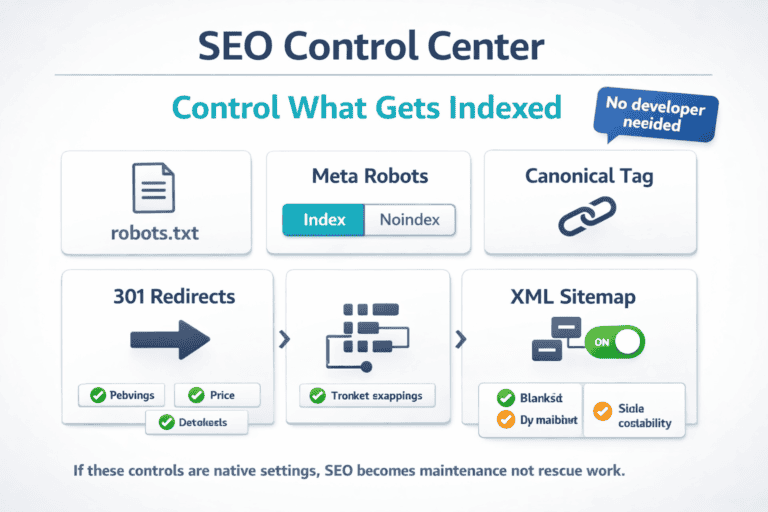
An ecommerce platform is SEO-friendly when it helps search engines find, understand, and rank your products without you fighting the software. That means you can control what gets indexed, keep URLs clean, and fix problems fast when something breaks.
Start with crawl and index control. You should be able to edit robots.txt, set canonical tags, and create 301 redirects without hacking templates. If your store uses filters (size, color, price), the platform should let you prevent “thin” filter pages from flooding Google while still keeping the important category pages indexable.
Next is how your pages are built. A good platform supports clear category paths, consistent URL rules, and templates for titles and meta descriptions that scale across thousands of SKUs. It also makes internal linking simple: breadcrumbs, related products, and clean pagination that doesn’t create duplicate pages.
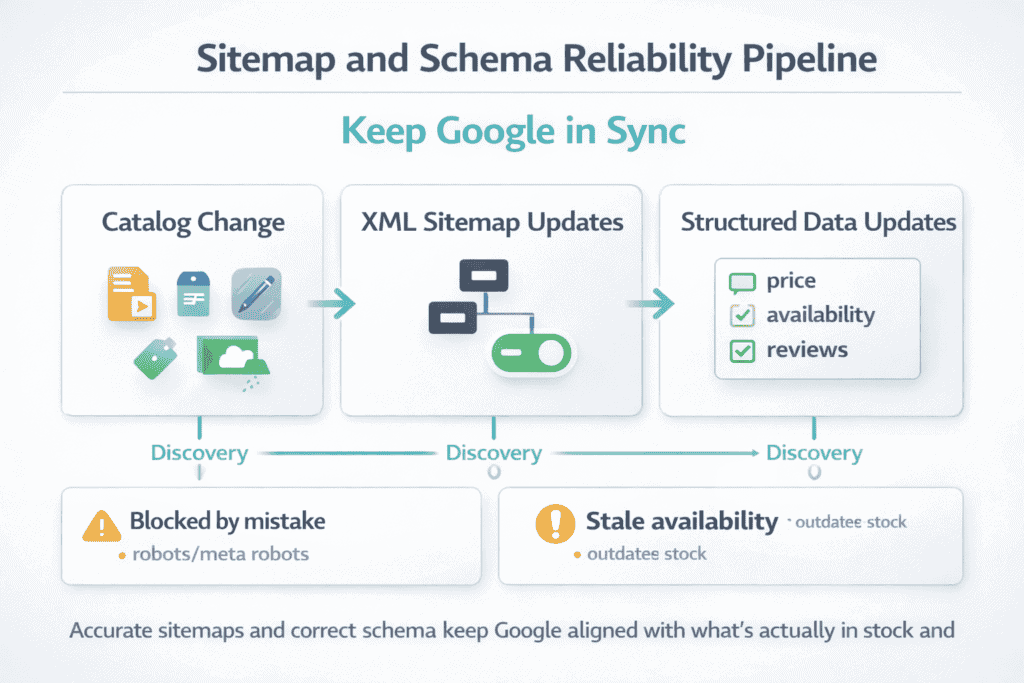
Then comes “proof” in Google. The platform should generate accurate XML sitemaps, update them when products change, and avoid blocking key pages by mistake. It should also support structured data (product, price, availability, reviews) so listings can show richer results.
Quick self-check:
-
Can you manage canonicals, redirects, and noindex rules without a developer?
-
Do category and product URLs stay stable over time?
-
Do sitemaps, schema, and page speed stay healthy as the catalog grows?
If your platform covers those basics, SEO becomes routine work, not constant repair.
Technical SEO basics your platform must handle (indexing, canonicals, speed)
Technical SEO is the part of SEO you feel when something goes wrong: pages don’t show up in Google, duplicates compete with each other, or the site gets slow as the catalog grows. An SEO-friendly ecommerce platform reduces those problems by making the “fixes” normal settings, not custom work.
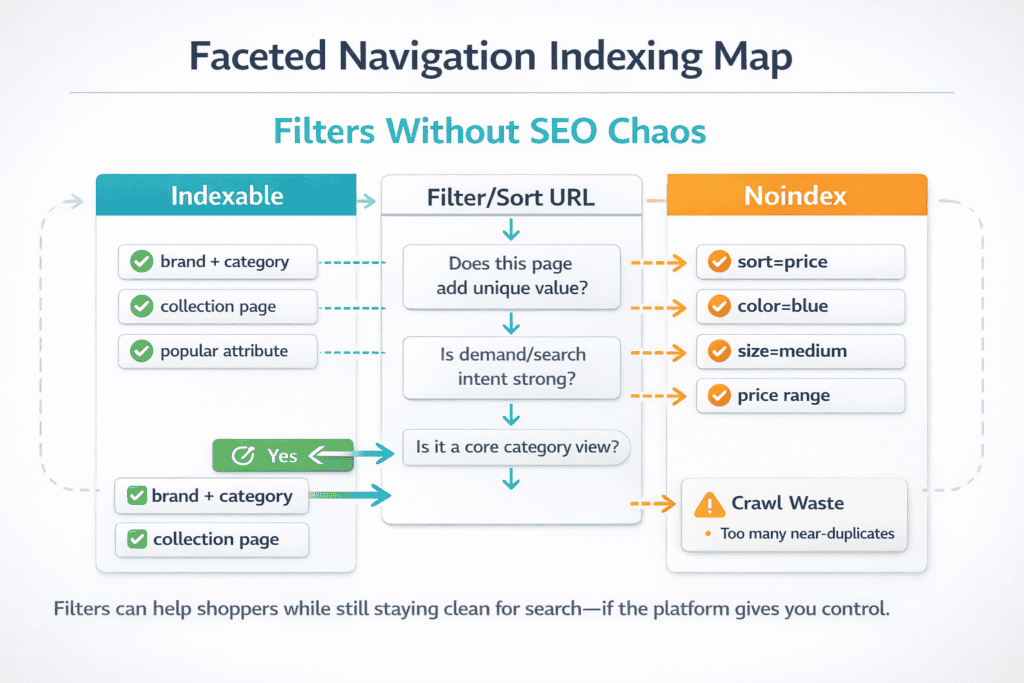
Start with indexing control. You need clean XML sitemaps (split by type if the store is large), plus easy access to robots.txt and meta robots so you can block thin pages without blocking money pages. Faceted navigation is the big test: size, color, price, and sort URLs should not create thousands of near-identical pages that waste crawl budget.
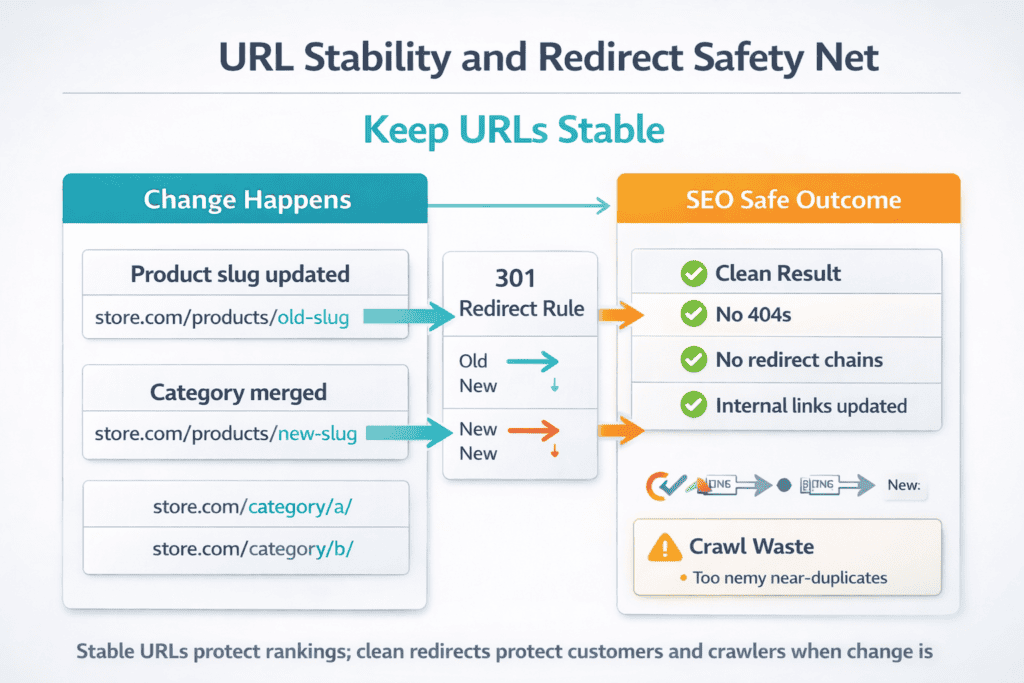
Next is canonicals and redirects. The platform should set canonical tags correctly on product variants, pagination, and filtered pages. It also needs simple 301 redirects for deleted products, changed slugs, and merged categories without breaking internal links or leaving chains.
Then comes speed. Your platform should support caching, image compression, lazy loading, and a lightweight theme. It should also avoid heavy scripts on every page, because slow category and product pages usually mean lower visibility and weaker conversion.
Quick checklist:
-
Control noindex, canonicals, redirects, and robots without editing core files
-
Handle filters and sorting without creating duplicate indexable URLs
-
Keep pages fast with caching, optimized images, and lean templates
Store architecture that helps Google understand your catalog (categories, filters, internal links)
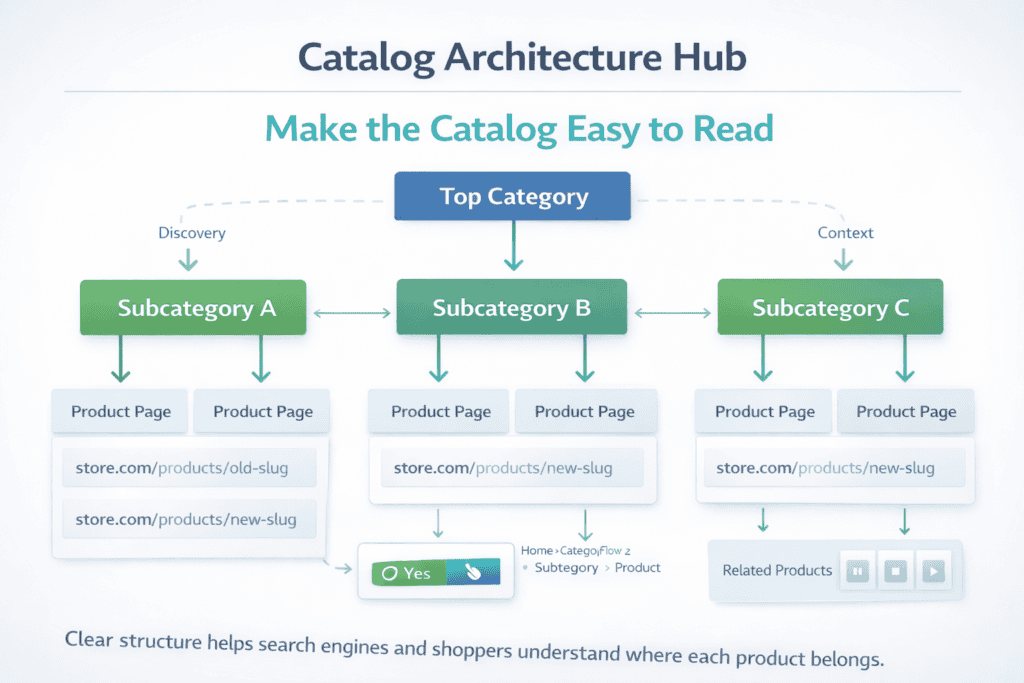
Google ranks ecommerce stores that are easy to “read.” Store architecture is how your catalog is organised, how URLs are formed, and how pages connect, so search engines can tell what each page is about and where it sits in the hierarchy. The goal is simple: your best category pages should feel like hubs, and your product pages should sit under them in a predictable structure.
Start with categories that match how shoppers think. One clear path beats five confusing ones. Keep your top-level categories broad, your subcategories specific, and avoid creating near-duplicates that compete for the same keyword. Your URLs and breadcrumbs should reflect that structure, because they reinforce context for Google and help users move around without bouncing.
Filters are where many stores accidentally create SEO chaos. When every filter and sort option generates a new URL, you end up with thousands of thin pages that look different to a crawler but offer little unique value. A platform with strong SEO controls lets you decide which filtered views deserve visibility and which should stay out of the index, while still letting shoppers filter normally.
Internal links tie it all together. Good architecture makes it easy for Google to discover products through category pages, collections, breadcrumbs, and related items, rather than relying on search or endless scrolling. When your internal linking is consistent, your important pages get crawled more often, and your authority flows to the pages that actually drive revenue.
On-page SEO workflow for product and category pages (titles, schema, content blocks)
On-page SEO is where your catalog turns into searchable pages that match real queries. A strong workflow keeps every product and category page consistent, scalable, and easy to improve without rewriting the whole site each time you add SKUs.
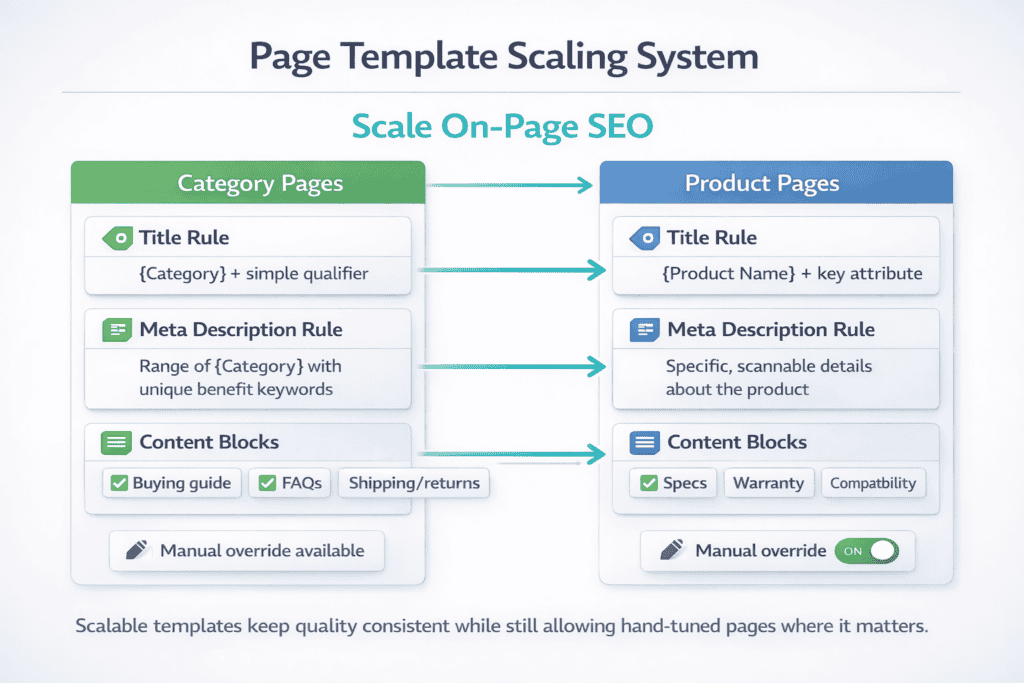
For category pages, start with a clear purpose: one main keyword theme, then supporting terms that reflect how people refine intent (brand, use case, material, size). Your title tag should lead with the category name and include a simple qualifier, while the meta description should set expectations about range, price point, or key benefits. On the page itself, add a short intro that explains what the category covers, then use content blocks lower on the page for buying guidance, FAQs, shipping/returns notes, and internal links to subcategories. This keeps the page useful without pushing products too far down.
For product pages, focus on uniqueness and clarity. Use a title tag that matches how the item is searched, not just your internal SKU naming. Write a tight product description that answers the first questions buyers ask: what it is, who it’s for, what problem it solves, and the few specs that actually influence purchase. Use structured, scannable content blocks for key features, sizing/fit, care, compatibility, and trust signals like warranty and delivery times.
Schema is the technical layer that makes your listings easier for Google to interpret. Your platform should support Product structured data with accurate price, availability, variants, and review signals, and it should stay correct when inventory or pricing changes. When titles, content blocks, and schema are all aligned, you reduce mismatches, improve relevance, and make it easier for both Google and shoppers to choose your page.
Content and blogging support (guides, collections, FAQs, and internal linking)
An ecommerce platform supports SEO better when it lets you publish content that answers “before I buy” questions, not just product listings. You want a built-in blog or a clean integration that can handle guides, comparisons, and how-to posts with proper headings, editable URLs, and fast templates. Collections and buying guides should be easy to build as landing pages that group products around an intent, like “best for small kitchens” or “starter kit,” so you can rank for broader searches while still driving shoppers into your catalog.
FAQs matter because they capture long-tail queries and reduce support friction. The platform should let you add FAQ blocks to category and product pages, keep answers short, and mark them up with structured data when appropriate. Internal linking is the glue: your guides should link into the best category pages, categories should link to key collections, and product pages should link back through breadcrumbs and related items. When content and links are managed in one workflow, you build topical relevance across the whole store and make it easier for Google to understand what you sell and which pages deserve to rank.
International SEO and multi-store setup (hreflang, currencies, country targeting)
International SEO works when your store makes it obvious which page is meant for which country and language. That starts with a clean setup for language and location versions, plus correct hreflang so Google can send UK users to the UK page and French users to the French page without creating duplicate-content confusion. Your platform should support stable, readable URL structures for each market (subfolders, subdomains, or separate domains), and it must keep canonicals consistent so each local page is treated as its own valid result, not a copy of the “main” site.
Multi-store gets harder when pricing, stock, and shipping rules vary by market. A strong platform lets you control currencies, tax display (including VAT), shipping thresholds, and product availability per country without generating messy parameters or duplicate URLs. Country targeting also needs a clear plan: use Search Console targeting only when it fits your structure, avoid auto-redirects that block crawlers, and give users a simple country/language switcher that changes the URL. When hreflang, currency display, and market-specific rules are handled cleanly, you can scale into new countries without losing rankings or splitting authority across duplicated pages.
SEO tools and integrations you’ll actually use (Search Console, feeds, schema, redirects)
An ecommerce platform becomes easier to grow when it connects cleanly to the tools you already rely on. Google Search Console should be simple to verify, and the platform should generate accurate XML sitemaps that update when products change, go out of stock, or are removed. It should also keep URLs stable so you can track performance over time without losing history every time you edit a category name or product slug.
Product feeds are the next test. You’ll want reliable exports for Google Merchant Center and other channels, with correct titles, images, GTIN/MPN where relevant, pricing, availability, and shipping rules. A platform that handles feeds well reduces disapprovals, keeps ads running, and prevents “free listings” from showing outdated data. The same applies to schema: Product structured data should reflect real-time price and stock, support variants where needed, and avoid spammy markup that triggers rich result issues.
Redirects are where stores either stay clean or slowly fall apart. Your platform should let you create and manage 301 redirects without touching core files, and it should handle common scenarios like deleted products, merged categories, and URL changes without creating redirect chains. When Search Console setup, feeds, schema, and redirects are all built into the workflow, you spend less time repairing SEO and more time improving the pages that make revenue.
Best ecommerce SEO platforms list (quick picks + who each is best for)
If you want SEO results without constant technical cleanup, pick a platform that gives you control over indexing, canonicals, URL rules, schema, redirects, and speed as your catalog grows. In practice, the “best” option depends on whether you value fastest launch, maximum flexibility, or enterprise-scale control.
Here’s a practical best ecommerce SEO platforms list with quick picks and who each is best for:
-
BigCommerce — Best for stores that want strong built-in SEO controls while still staying fairly “managed.” It’s often chosen for scalability and gives more control over SEO fundamentals like crawl/index management and clean site structure compared with more locked-down setups.
-
WooCommerce (WordPress) — Best for content-led ecommerce (guides, comparisons, landing pages) where SEO is driven by publishing. You get huge flexibility through WordPress SEO plugins and control over your content structure, but performance and maintenance depend on hosting and how you build the stack.
-
Shopify — Best for teams that want a fast, reliable setup with a big ecosystem and solid “defaults.” Shopify handles many basics well (like canonical handling on core page types), but there are platform constraints you work within, especially around URL structure and some advanced technical SEO patterns.
-
Adobe Commerce (Magento) — Best for large catalogs, complex merchandising, and teams with developers who want deep technical control. It can be excellent for SEO when implemented well, but it’s heavier to run and requires more engineering discipline than hosted platforms.
-
OpenCart — Best for merchants who want an open-source store they can run on their own hosting with full control over technical settings. SEO outcomes depend heavily on theme quality, extensions, and how well you manage duplicates, redirects, and performance.
-
Shopware — Best for mid-market brands that want a modern platform with strong merchandising and flexibility. It’s a common choice in Europe where multi-language and multi-store setups matter, and it can be SEO-friendly when configured cleanly.
-
Squarespace Commerce — Best for smaller catalogs where design and simplicity matter most. You can do the basics, but it’s not the first pick for large SEO programs or advanced catalog architecture.
-
Wix eCommerce — Best for beginners who want an all-in-one builder and quick publishing. It can work for smaller stores, but it’s typically not the top choice for heavy technical SEO control at scale.