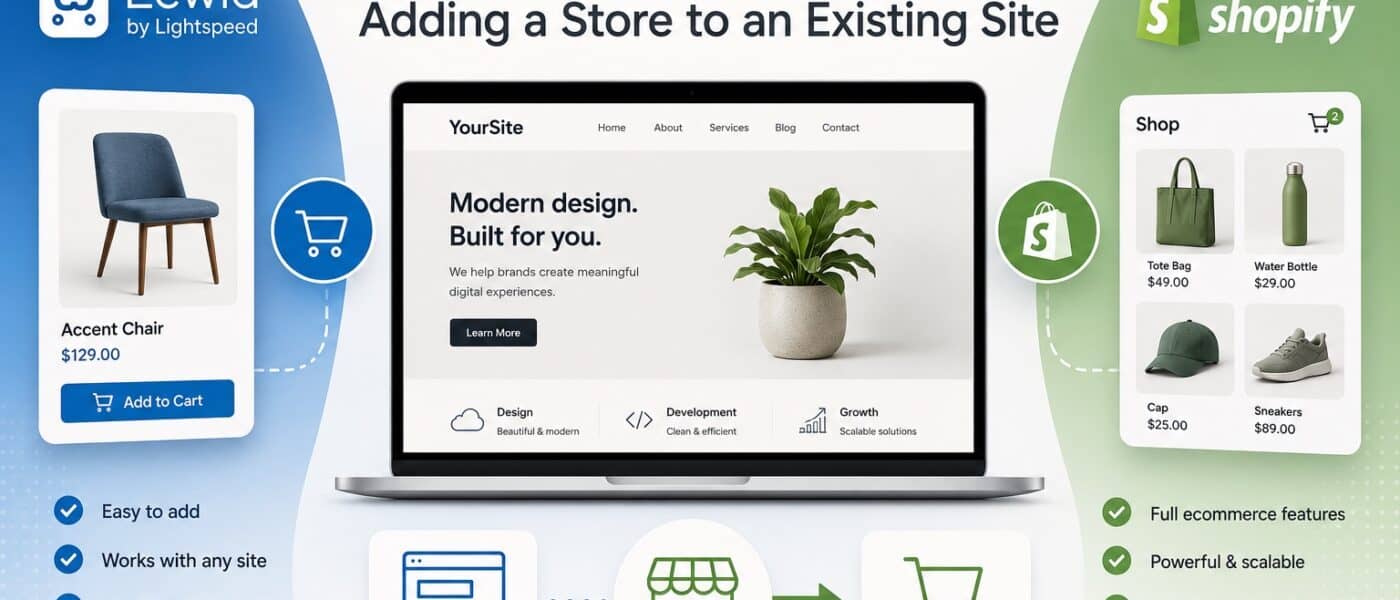
Most ecommerce comparisons assume you are starting from scratch. The reality for many businesses is different: there is already a working website (a brochure site, a blog, a portfolio, a small-business homepage built years ago) and the owner wants to add a store without rebuilding everything. That is a different problem from “pick a platform and build a store on it”, and it is the problem Ecwid was designed for.
Shopify has its own answer (the Starter plan with the Shop Buy Button), but the two platforms approach embedded commerce from opposite ends: Ecwid is embed-first by design, while Shopify treats embedding as a side door into a much larger commerce platform.
This comparison covers both options for adding a store to an existing site, plus what happens when “just add a store” eventually grows into “we need a real ecommerce setup”. Pick well at the start and you avoid the painful migration that catches a lot of small businesses two years in.
Quick comparison table
| Factor | Ecwid (Lightspeed eCom) | Shopify |
| Type | Embed-first ecommerce widget | Full ecommerce platform (with Buy Button for embedding) |
| Free plan | Yes, up to 5 products | 3-day trial, then $1/month for first 3 months |
| Starting paid price | $25/month (Venture) | $5/month (Starter, Buy Button only); $29/month (Basic Shopify) |
| Embeds into existing sites | Native, primary use case (WordPress, Wix, Squarespace, plain HTML, Joomla, Drupal, etc.) | Yes via Buy Button on Starter plan; standalone storefront on Basic+ |
| Standalone storefront | Instant Site option, basic but functional | Full storefront with 200+ themes |
| Multi-channel | Facebook, Instagram, Amazon, eBay, Google Shopping, TikTok, Pinterest | Deep native support across all major channels and marketplaces |
| POS | Via Square, Clover, Vend, others | Shopify POS (deeply integrated) |
| Transaction fees | 0% on most payment processors | 0% on Shopify Payments; 0.5%-2% on third-party gateways |
| App ecosystem | ~200 apps in Ecwid App Market | 8,000+ apps in Shopify App Store |
| Best for | Adding store to existing site, small catalogues, side projects, hybrid online/offline | Building a serious standalone ecommerce business |
Table of contents
- The embed-first question
- Pricing and total cost
- Integration with existing sites
- Ease of setup and use
- Ecommerce features
- Multi-channel and POS
- Payments and checkout
- Apps and extensibility
- Design and customisation
- Scalability and growth path
- SEO considerations
- When to choose Ecwid
- When to choose Shopify
- The verdict
The embed-first question
The question that determines a lot of this comparison: is your store the primary website, or is it a feature on a website that already exists for other reasons?
If your site is primarily a store, Shopify is built for that and most of this comparison will push you toward it. If your site is primarily something else (a service business homepage, a content site, a portfolio, an organisation site that wants to start selling some merchandise), Ecwid was designed for exactly that scenario. The platform installs as a widget on any existing site, syncs centrally across every place it is embedded, and lets you run a real store without rebuilding what you already have.
Ecwid (now part of Lightspeed and increasingly branded as Lightspeed eCom Instant) has been embed-first since launching in 2009. The platform’s selling point has always been that you can copy a code snippet into any HTML site and have a functioning store within minutes. That positioning still defines what it is good for.
Shopify offers embedded commerce through the Shop Buy Button (included on Starter, Basic, and higher plans) and the Shopify Lite-style integrations. These work, but they are clearly secondary to Shopify’s main product, which is the full standalone storefront with themes, checkout, and a complete commerce operation.
Pricing and total cost
Ecwid has a free plan that supports up to 5 products with limited features, which is genuinely useful for testing the platform or running a very small store. Paid plans run $25/month (Venture, up to 100 products), $45/month (Business, up to 2,500 products with abandoned cart recovery and product variants), and $105/month (Unlimited, with priority support and advanced features). Most plans do not charge transaction fees on top of payment processor fees.
Shopify pricing starts at $5/month for the Starter plan, which gives you the Buy Button, social and messaging selling, and a minimal mobile-optimised checkout. Standard Shopify starts at $29/month for Basic, with $79 and $299 tiers above. Shopify Payments waives Shopify’s transaction fees on standard plans (third-party gateways trigger 0.5% to 2% transaction fees depending on tier).
For a small store with under 100 products, Ecwid Venture at $25/month or Shopify Starter at $5/month are both reasonable starting points, with Shopify Starter the cheaper option if all you need is a Buy Button and basic checkout. Once you grow into Venture or Basic territory, the costs become comparable, with Shopify offering more depth for the money and Ecwid offering tighter integration with non-Shopify host sites.
Integration with existing sites
This is where Ecwid’s design philosophy shows clearly. The platform provides dedicated integrations and widgets for:
- WordPress (a plugin that embeds the store into any page)
- Wix (an app from the Wix App Market)
- Squarespace (via custom code injection)
- Joomla, Drupal, Weebly, Tumblr (dedicated plugins or widgets)
- Plain HTML sites (a script tag you paste into any page)
- Facebook (a Shop tab on your business page)
The store stays centrally managed in the Ecwid admin while appearing as a native part of each host site. Add a product in Ecwid, and it shows up everywhere the store is embedded. This works particularly well for service businesses that want to add a small product line without rebuilding their existing site, or for organisations that want to sell merchandise alongside their main content.
Shopify’s Buy Button works similarly: you generate an embed code from your Shopify admin and paste it into your existing site. It supports product, collection, and cart embeds. The execution is fine, but the focus of the product is clearly the standalone storefront; the Buy Button feels like a side feature rather than a primary use case. For sellers who eventually want to migrate to a full Shopify storefront, this matters because the product data already lives in the Shopify ecosystem.
Ease of setup and use
Ecwid is one of the easier ecommerce platforms to get running. Sign up, add a few products, copy the embed code into your existing site, and you have a working store within an hour. The admin is clean, the product editor is straightforward, and the workflows assume you are a non-technical store owner rather than a developer. For someone adding ecommerce to an existing business without a dedicated ecommerce team, Ecwid removes most of the friction.
Shopify is also easy to set up but assumes you are building a full storefront. The onboarding walks you through theme selection, product creation, and shipping settings, which is the right experience if you are committing to Shopify as your platform but more than you need if you just want a Buy Button on an existing site. For pure embed use, Shopify Starter is faster to set up than the standard plans.
For day-to-day work like order processing and fulfilment, both platforms handle the basics well. Shopify’s structure is more polished if you are processing real volume. Ecwid is simpler and works well for the lower-volume stores it was designed for.
Ecommerce features
Both platforms cover the essentials: unlimited or large product catalogues (within plan limits), product variants, inventory tracking, order management, discount codes, abandoned cart recovery (on paid Ecwid plans), and digital products.
Shopify’s ecommerce features are deeper and more refined. Multi-location inventory, advanced shipping rules with real-time carrier rates, customer accounts with order history, native subscriptions through ReCharge or other apps, automated email flows, and a highly optimised checkout (with Shop Pay’s one-tap experience) are all available either out of the box or through deeply integrated apps. For stores that genuinely need ecommerce depth, Shopify pulls ahead clearly.
Ecwid covers the basics well and adds enough for most small-to-mid stores. The platform handles variant products, basic shipping zones, manual order management, and a clean mobile-responsive storefront. Beyond a certain scale, the limits become apparent: less sophisticated shipping rules, simpler customer account features, fewer customisation options, and a smaller pool of advanced apps. For embed-first use cases at small-to-mid scale, this is rarely a problem. For ambitious standalone stores, the depth gap matters.
Multi-channel and POS
Shopify’s multi-channel coverage is one of the platform’s strongest features. Native integrations with Facebook and Instagram Shops, TikTok Shop, Amazon, eBay, Etsy, Walmart Marketplace, Google Shopping, and Pinterest work cleanly. Inventory and orders sync across channels through a single dashboard. For sellers who plan to use multiple channels as a serious part of their revenue, Shopify removes friction.
Ecwid also supports multi-channel selling, with integrations for Facebook, Instagram, Amazon, eBay, Google Shopping, TikTok, and Pinterest. The integrations work but the experience is less polished than Shopify’s, and the platform is less focused on multi-channel as a primary use case.
For physical retail, Ecwid integrates with Square, Clover, and Vend POS systems. This is a reasonable solution for small retailers already using these systems, and the inventory sync works well. Shopify POS is more deeply integrated, with native hardware, payments, and inventory sync designed for retailers who want a single unified system. For hybrid online-and-offline operations, Shopify POS is typically the cleaner option.
Payments and checkout
Ecwid supports more than 50 payment gateways, including Stripe, PayPal, Square, Apple Pay, Google Pay, and a wide range of regional processors. The platform does not charge its own transaction fees on most plans, so the only cost is what your processor takes. The checkout is clean, mobile-responsive, and serviceable, but it does not have the years of conversion optimisation work that Shopify has put into Shop Pay.
Shopify Payments (powered by Stripe) supports major cards, Apple Pay, Google Pay, Shop Pay, and regional payment methods. Shop Pay is the major differentiator: customers who have used it on any Shopify store get one-tap checkout on every other Shopify store, which produces measurable conversion lift across the platform. Third-party gateways are also supported but trigger Shopify transaction fees of 0.5% to 2% depending on plan.
For embed use cases on existing sites, both checkouts work well. Ecwid’s checkout opens in a smooth overlay that keeps customers on the host site, which is often preferable for embed scenarios. Shopify’s Buy Button can redirect to the Shopify checkout or use a similar inline experience.
Apps and extensibility
This is one of Shopify’s clearest advantages. The Shopify App Store has over 8,000 apps covering email marketing, reviews, loyalty, subscriptions, dropshipping, accounting, returns, customer service, and dozens of niche categories. The depth means almost any need a growing store develops has a solution available, often with multiple competing options.
Ecwid’s App Market is much smaller, with around 200 apps. Coverage of common needs (email, reviews, social integrations, basic shipping tools) is present, but specialised needs may not have an Ecwid solution. For stores with simple requirements, the smaller marketplace is enough. For stores expecting to add specialised functionality over time, Shopify’s ecosystem provides more options.
Design and customisation
For embed-first use cases, the design conversation is different from a typical platform comparison. The store inherits the look and feel of the host site (your existing WordPress theme, Wix template, or custom HTML), with the embedded product cards and checkout styled to fit. Both platforms offer some styling control over the embedded elements, with Ecwid giving slightly more flexibility on widget styling for embed scenarios.
For standalone storefronts, Shopify has around 200 themes (free and paid) built specifically for ecommerce, with deep customisation through the theme editor and the Liquid templating language. Ecwid’s Instant Site is a basic standalone storefront option that is fine for small stores but not in the same league as Shopify’s theme ecosystem.
If design depth matters to a standalone store, Shopify is the better platform. If you are embedding into an existing site whose design you already control, the host site does most of the design work and the platform choice matters less for that reason.
Scalability and growth path
Ecwid scales comfortably up to mid-five-figure monthly revenue for most stores, particularly when used in its primary embed-first mode. Beyond that, the platform’s limits become apparent, and stores often consider migrating to a more capable platform. The migration from Ecwid is real work because product data, customer history, and integrations all need to be moved, but it is not insurmountable.
Shopify scales from $5/month Starter to $29/month Basic to $2,300+/month Shopify Plus on a single platform. A store starting with a Buy Button on Starter can graduate to a full Basic Shopify storefront without changing platforms or losing data. This single-platform growth path is one of Shopify’s strongest selling points for businesses that expect to grow seriously.
For stores thinking about how to increase ecommerce sales in 2026, Shopify’s growth path is easier to plan around. For stores that are unlikely to outgrow embed-first commerce, Ecwid removes the cost and complexity of a platform that would never be fully used.
SEO considerations
SEO for embedded ecommerce is a different game from SEO for a standalone storefront. The host site does most of the SEO work, with the embedded store contributing some product and category content. Ecwid product pages are indexable and can rank, but the host site is usually where the bulk of organic traffic strategy plays out.
Shopify’s standalone storefront comes with its own SEO setup: customisable meta tags, clean URLs (within Shopify’s required prefixes), structured data for products, and XML sitemaps. Our guide to e-commerce site architecture and URL structure covers how to work with Shopify’s constraints. For embed scenarios with the Buy Button, the host site’s SEO matters most and the Buy Button itself does not significantly affect rankings.
For both platforms, the common SEO mistakes new e-commerce stores make in their first year apply. GA4 setup works on both: see our guide to GA4 event implementation on popular ecommerce platforms for the technical details.
When to choose Ecwid
- You have an existing site and want to add a store without rebuilding. This is Ecwid’s strongest use case by a wide margin. WordPress, Wix, Squarespace, Joomla, Drupal, and plain HTML sites all support Ecwid as a first-class integration.
- Your catalogue is small. Free up to 5 products, Venture up to 100, Business up to 2,500 product. For most small businesses adding a store as a side function, these limits are not a constraint.
- You want a free starting tier. Ecwid’s free plan is genuinely usable for very small or test stores, with no time limit.
- You sell across multiple sites or channels. Ecwid’s central admin syncs across every place the store is embedded, which works well for organisations with multiple touchpoints.
- You are a service business adding products as a secondary revenue stream. Consultants, agencies, restaurants, fitness studios, and similar businesses often want a small store on their existing site without committing to a full ecommerce platform.
- You use POS systems like Square or Clover. Ecwid’s integrations with these systems work well for small retailers wanting online and offline inventory sync.
When to choose Shopify
- You are building a serious standalone ecommerce business. Every Shopify feature is built around selling at real scale, and the platform’s depth justifies the higher price.
- You plan to grow. Shopify’s path from Starter to Plus on a single platform is one of its strongest selling points.
- You sell across multiple channels. Native integrations with social commerce, marketplaces, and POS are deeper and more reliable than Ecwid’s.
- You need a large app ecosystem. The Shopify App Store covers specialised needs that Ecwid’s smaller marketplace does not.
- Conversion rate matters. Shop Pay and Shopify’s checkout optimisation produce measurable conversion advantages.
- You operate physical retail alongside online. Shopify POS is a fully integrated retail solution that Ecwid’s POS integrations cannot match for depth.
- You want a Buy Button on an existing site without growing into a full standalone store. Shopify Starter at $5/month is cheaper than Ecwid’s paid tiers for pure embed use.
The verdict
Ecwid and Shopify are not really competing for the same merchant most of the time. They overlap in the embed segment, but they serve different needs.
Choose Ecwid if you have an existing site and want to add a real store to it without rebuilding. The platform is built for this from the ground up. The free tier and low-priced paid plans make it accessible for small businesses adding ecommerce as a secondary function, and the central admin works well for sellers managing inventory across multiple host sites and channels. The trade-off is that as your store grows beyond a small embed-first operation, the platform’s limits start to show and you eventually face a migration to something heavier.
What platform should you choose
Choose Shopify if you are building a real ecommerce business and want a platform that grows with you. The depth of features, the conversion-optimised checkout, the multi-channel capabilities, and the path from $5/month Starter to $2,300+/month Plus on a single platform make Shopify the safer choice for ambitious sellers. The Buy Button covers the embed case adequately if that is part of your initial approach, and you can graduate to the full standalone storefront without changing platforms.
The mistake to avoid is overcommitting to a platform too early or staying with an embed-first solution too long. If you genuinely never need more than a small store on an existing site, Ecwid is right and Shopify is overkill. If you are quietly hoping to build a real ecommerce business, embedding it into someone else’s site as a long-term plan creates ceilings you will eventually need to break through. Be honest about which you are doing.
For sellers exploring open-source alternatives, our 2026 OpenCart review covers a self-hosted option that suits small-to-mid stores with tighter budgets, and our piece on why sellers are moving from Ecwid and Shopify to OpenCart covers the patterns that drive merchants in that direction. Whichever path you choose, the marketing levers for growth are similar: look at how to get your store into AI search results, weigh where your budget actually goes further on SEO vs paid ads, and use the right ecommerce SEO tools to track what is working as the store grows.