1) Overview of each platform
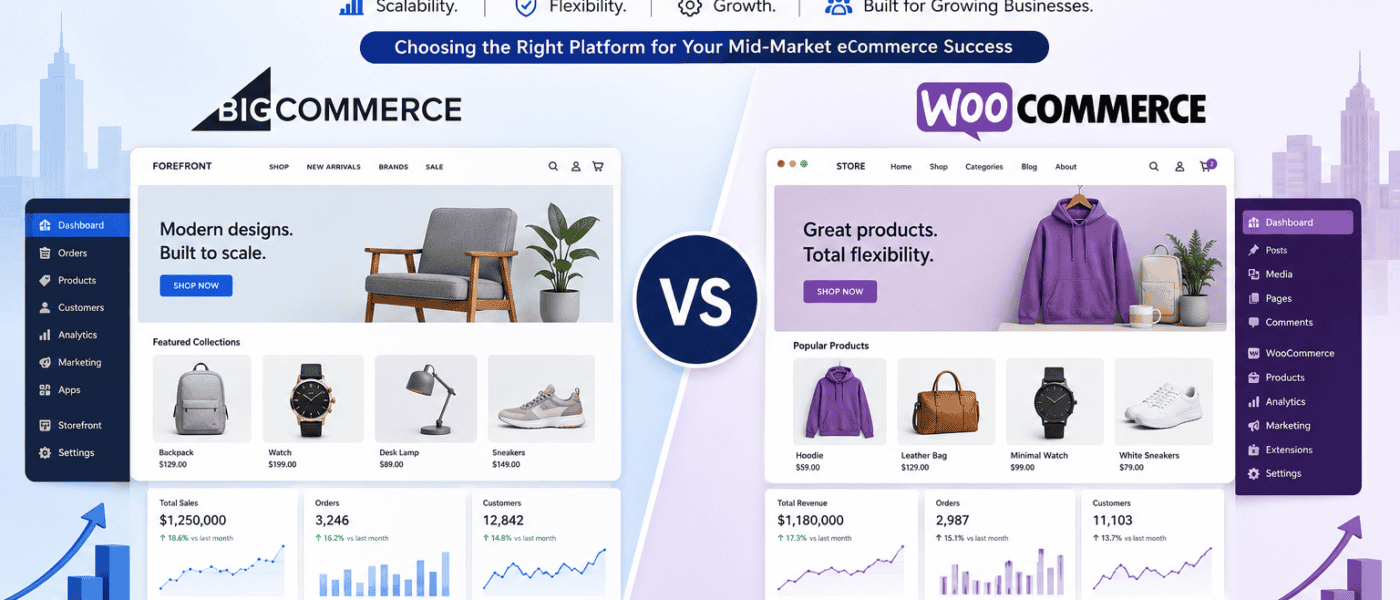
BigCommerce and WooCommerce sit on opposite sides of the hosted-versus-self-hosted divide, and they both pitch hard at the mid-market segment that has outgrown beginner platforms but does not yet need full enterprise infrastructure. BigCommerce is a hosted SaaS platform built ground-up for serious sellers, with strong B2B features, headless capabilities, and native multi-channel support. WooCommerce is the open-source WordPress plugin powering close to a third of all online stores, with unmatched flexibility, the largest extension ecosystem in the world, and a much lower starting price.
For a store doing $500,000 to $10 million a year in revenue, either platform can work. The right choice depends on what kind of business you are running, how technical your team is, and how much of your roadmap involves multi-channel selling, B2B complexity, and headless architecture. This comparison walks through every factor that matters so you can make the right call rather than the default one.
Table of contents of Woocommerce and Bigcommerce
- Hosted vs self-hosted
- Pricing and total cost
- Ease of use and admin
- Themes and design
- Apps and extensions
- Multi-channel and international
- B2B and complex commerce
- Scalability and performance
- SEO and content
- Headless and customisation
- Support and community
- When to choose BigCommerce
- When to choose WooCommerce
- The verdict
2) Hosting model (hosted vs self-hosted), Woocommerce hosting & Woocommerce hosting
BigCommerce is a fully hosted SaaS platform. You pay a monthly subscription, BigCommerce handles servers, security, backups, PCI compliance, and platform updates, and you focus on running the store. This model removes a significant operational burden and is one of the main reasons mid-market merchants pick BigCommerce over self-hosted alternatives.
WooCommerce is open-source and self-hosted. The plugin itself is free, but you are responsible for hosting, security patching, plugin updates, performance tuning, and PCI compliance (most handled by your payment processor, but the responsibility for keeping your site secure sits with you). The trade-off is total control: you can host wherever you like, customise anything, and own your data and code outright.
For a mid-market store, the practical question is whether you have (or want) the internal capability to manage hosting and security, or whether you would rather pay a platform fee to make that someone else’s problem. BigCommerce removes the operational tax; WooCommerce gives you the flexibility to do anything if you accept that tax yourself or pay an agency to absorb it.
3) Cost structure and total cost of ownership
Let’s dive into Bigcommerce vs Woocommerce and the costs of the platforms. BigCommerce pricing starts at $29/month for Standard, $79 for Plus, $299 for Pro, and custom enterprise pricing for BigCommerce Enterprise. Unlike Shopify, BigCommerce charges no transaction fees on any plan, which can save serious money at scale. Plans have annual revenue thresholds (Standard caps at $50K, Plus at $180K, Pro at $400K); exceeding the threshold automatically upgrades you to the next tier.
WooCommerce as a plugin is free. Total cost depends on what you build around it. Managed WordPress hosting from SiteGround, Cloudways, or Kinsta runs $20-$300/month for most mid-market stores. Premium themes are $50-$200 one-time. WooCommerce extensions typically run $50-$300/year each, and a serious mid-market store often runs 10-30 paid extensions across payments, shipping, subscriptions, B2B, marketing, and reviews. Annual extension costs of $1,000-$5,000 are realistic. Development and maintenance add to this; budget at least $10,000-$50,000 for initial build and $500-$3,000/month for ongoing work.
For a store doing $1-3 million/year, BigCommerce monthly costs ($299 Pro plus apps, maybe $500-$1,500/month total) often come in lower than the equivalent WooCommerce stack (hosting + extensions + maintenance). At larger scale, the calculation shifts: enterprise BigCommerce gets expensive, while WooCommerce extension and hosting costs grow more linearly.
4) Features and core ecommerce capabilities
BigCommerce comes with many ecommerce features built into the platform, which makes it easier for store owners who want a ready-made selling system without adding too many separate tools. It includes product management, payment integrations, shipping settings, discount rules, customer groups, abandoned cart recovery, multi-channel selling, and built-in support for larger product catalogues. This makes BigCommerce a strong choice for businesses that want a structured platform where the main selling features are already available from the start.
WooCommerce works differently because it turns a WordPress website into an online store. Its core features cover products, carts, checkout, payments, coupons, tax settings, shipping options, and order management, but many advanced features usually depend on plugins. This gives WooCommerce more flexibility because store owners can build the exact setup they need, especially if they already use WordPress. However, it also means the store owner must manage more extensions, updates, hosting, and compatibility issues compared with BigCommerce.
5) Apps and integrations ecosystem
BigCommerce’s App Marketplace has around 1,000 apps covering email marketing, reviews, loyalty, subscriptions, shipping, returns, accounting, ERP integration, B2B, and dozens of niche categories. The selection is smaller than Shopify’s but the apps tend to be enterprise-ready, well-supported, and tightly integrated with BigCommerce’s API. Many apps include SLAs and dedicated support, with pricing reflecting that.
WooCommerce’s combined ecosystem (60,000+ WordPress plugins plus thousands of WooCommerce-specific extensions) is the largest in ecommerce. The breadth is unmatched: almost any need a store develops has multiple plugin options at multiple price points. The downside is that quality varies widely, plugin conflicts are common, and assembling a stable production stack takes care and discipline.
For mid-market stores, the practical question is whether you prefer a smaller curated selection with reliable integrations (BigCommerce) or a much larger but messier ecosystem with more flexibility (WooCommerce). Both can support a serious ecommerce operation; the path to get there differs.
6) Performance, infrastructure, and scalability
BigCommerce scales well because hosting and infrastructure are managed by BigCommerce. The platform handles traffic spikes, security patches, and performance optimisation without you needing to think about it. Storefront speed is generally good out of the box, with Stencil themes optimised for performance. Mid-market and enterprise stores routinely run hundreds of thousands of monthly sessions on BigCommerce without infrastructure work.
WooCommerce performance depends heavily on how it is set up. A well-tuned WooCommerce store on quality managed hosting with proper caching, optimised images, and a disciplined plugin selection performs excellently. A poorly tuned store with too many plugins, an unoptimised theme, and budget hosting will struggle as traffic grows. Mid-market WooCommerce stores often invest in performance work as part of normal maintenance: object caching with Redis, full-page caching with Varnish or a CDN, database optimisation, and quarterly plugin audits to remove anything not pulling its weight.
The site architecture decisions you make around URL structure and crawl budget matter on both platforms and become more important as catalogue size grows. BigCommerce gives you less flexibility here; WooCommerce gives you more and demands you use it well.
7) Ease of use and required skills
BigCommerce’s admin is polished and built specifically for ecommerce. Adding products with variants, managing categories, configuring shipping rules, setting up tax zones, and processing orders all happen through workflows designed around selling. The interface assumes you understand ecommerce concepts but does not require you to know how to code or manage infrastructure. For a non-technical operations team, BigCommerce is one of the easier mid-market platforms to run.
WooCommerce’s admin is the WordPress dashboard with Products and Orders menus added. If your team already knows WordPress, this feels familiar and approachable. If they do not, there is a learning curve, and the admin can feel less focused than purpose-built ecommerce platforms because it shares the dashboard with all the other WordPress functionality.
For day-to-day work like order processing and fulfilment, both platforms handle the basics well. BigCommerce’s structure tends to surface ecommerce-specific actions faster. WooCommerce’s flexibility means workflows can be customised more deeply but require more setup.
8) Business model fit and merchant profiles
BigCommerce is a better fit for merchants who want a managed ecommerce platform with fewer technical decisions to make. It suits growing brands, B2B sellers, wholesalers, multi-channel retailers, and businesses with larger catalogues that need a stable selling system from the start. These merchants usually want built-in tools for payments, shipping, promotions, customer groups, product options, and sales across different channels without relying heavily on extra development work. BigCommerce also fits companies that prefer predictable platform management, where hosting, security, updates, and core store performance are handled within the platform.
WooCommerce is a stronger match for merchants who want more control over how their store is built and managed. It works well for content-led businesses, niche brands, bloggers, service providers, small retailers, and WordPress users who want to add ecommerce to an existing website. It also suits businesses that need custom design, flexible checkout changes, specialist plugins, or a store that grows around content marketing and SEO. However, WooCommerce merchants need to be more hands-on with hosting, plugin choices, security, maintenance, and technical support, so it is best for store owners who are comfortable managing these parts or have someone to help them.
Themes and design
BigCommerce offers around 150 themes through its theme marketplace, with 12 free and the rest priced at $150-$400 one-time. The themes are polished, mobile-responsive, and built specifically for BigCommerce’s Stencil framework. Customisation happens through the theme editor and, for deeper work, by modifying the Stencil files directly. The narrower selection reflects a curated approach.
WooCommerce can use any WordPress theme that supports WooCommerce templates, which is most of them. Marketplaces like ThemeForest list thousands of WooCommerce-compatible themes at $30-$100 each, and custom themes can be built from scratch with the freedom that WordPress gives. The volume of choice is huge, but quality varies and you need to vet themes for performance, security, and ongoing maintenance.
For mid-market stores that want a professional theme without the temptation to over-customise, BigCommerce’s curated approach is a feature. For stores with strong design opinions or specific industry needs that require custom themes, WooCommerce’s flexibility is hard to beat.
Multi-channel and international & Payment Gateways
BigCommerce was built with multi-channel selling as a core capability. Native integrations cover Amazon, eBay, Walmart Marketplace, Facebook and Instagram Shops, TikTok Shop, Google Shopping, and Pinterest. Inventory and orders sync centrally, and adding new channels is straightforward. For mid-market merchants where marketplace selling is a major revenue source, BigCommerce removes friction that other platforms create.
WooCommerce supports multi-channel through plugins. Solutions exist for every major channel (WP-Lister for eBay and Amazon, Facebook for WooCommerce, Google Listings & Ads, etc.), but each is a separate plugin with its own configuration, support, and update cycle. For stores selling on one or two extra channels, this works fine. For stores selling on five or more, the operational overhead adds up.
International selling tells a similar story. BigCommerce supports multi-currency, geographic pricing, and multi-language stores natively, with deep integrations for international tax (Avalara, TaxJar) and payment processors. WooCommerce can do all of this through plugins (WPML for translation, currency switcher plugins, multi-store plugins) but with more moving parts. As last-mile delivery and logistics become more important to mid-market stores, BigCommerce’s integrated shipping and tax tools are an advantage; WooCommerce’s plugin-based approach gives more flexibility at the cost of more setup.
B2B and complex commerce
BigCommerce has invested heavily in B2B over the past few years. The B2B Edition (available on Pro and Enterprise plans) includes company accounts with buyer hierarchies, customer groups with custom pricing, quote requests, invoicing, purchase order workflows, and shared shopping lists. For mid-market merchants selling to other businesses, BigCommerce’s B2B is among the most complete you will find outside enterprise platforms.
WooCommerce handles B2B through extensions. B2B for WooCommerce, Wholesale Suite, and similar plugins cover wholesale pricing, role-based catalogue visibility, quote requests, and account management. They work, especially for simpler B2B (wholesale prices for approved customers, hidden products until login), but they are bolted together rather than integrated. For complex B2B with multi-level approval workflows, custom catalogues per customer, and integrations with accounting and ERP systems, BigCommerce typically requires less custom work.
Subscriptions, memberships, and other recurring commerce models are mature on both platforms. BigCommerce offers native subscriptions through ReCharge and other apps; WooCommerce has WooCommerce Subscriptions as a long-established option with deep customisation possibilities.
SEO and content
WooCommerce has a structural advantage in SEO and content marketing. WordPress is the best blogging platform on the web, and plugins like Yoast SEO and Rank Math give granular control over titles, meta descriptions, schema markup, redirects, internal linking, and breadcrumbs. If organic traffic and content marketing are core to your strategy, WooCommerce makes that cheap and powerful. Stores wondering why their e-commerce blog isn’t driving sales will find WordPress’s content tools remove much of the friction.
BigCommerce covers the SEO basics well: customisable URLs, meta tags, canonical tags, structured data, and clean URL structures with fewer forced prefixes than Shopify. The built-in blog is functional but not on the level of WordPress; many serious BigCommerce stores pair the store with a WordPress blog on a subdomain or use the BigCommerce for WordPress integration to get the best of both. Either approach works, but it adds maintenance compared with WooCommerce’s native content tools.
For analytics, both platforms support GA4 through native integration or apps. Our guide to GA4 event implementation on popular ecommerce platforms covers what each setup looks like. Stores should also review the common SEO mistakes new e-commerce stores make in their first year before scaling content efforts.
Headless and customisation
BigCommerce is one of the leading headless commerce platforms. The platform’s APIs are mature, well-documented, and built for headless from the ground up. BigCommerce Catalyst (the modern React-based storefront framework), the Stencil theme engine, and the deep integration with frameworks like Next.js, Nuxt, and Gatsby give engineering teams real options for custom storefronts that hit the platform’s backend. The BigCommerce for WordPress plugin even lets you run WordPress as the frontend with BigCommerce powering the cart and checkout, which is a niche but powerful pattern.
WooCommerce can be used headlessly through the WordPress REST API, but the platform was not built primarily for headless and the experience reflects that. Headless WooCommerce works, and a growing number of stores run this architecture, but it typically requires more engineering work than BigCommerce’s native headless tooling. For mid-market stores planning serious investment in a custom frontend, BigCommerce removes friction.
For non-headless customisation, WooCommerce wins on flexibility. You can modify almost any aspect of the platform through hooks, filters, custom plugins, and theme overrides. BigCommerce’s customisation is more constrained by the SaaS model, though the Stencil framework gives meaningful control over storefronts.
Quick comparison table between BigCommerce vs WooCommerce
| Factor | BigCommerce | WooCommerce |
| Type | Hosted SaaS, ecommerce-focused | Open-source WordPress plugin (self-hosted) |
| Starting price | $29/month (Standard), $79 (Plus), $299 (Pro), Enterprise custom | Free plugin, runs on standard WordPress hosting |
| Transaction fees | 0% on all plans (uses third-party processors) | 0% from WooCommerce (processor fees only) |
| Sales thresholds | Auto-upgrade tiers based on annual revenue | None |
| Hosting | Included | Self-managed, $20-$500+/month depending on scale |
| Themes | ~150 themes (12 free, rest $150-$400) | Thousands of WordPress themes, free and paid |
| App ecosystem | ~1,000 apps in the BigCommerce App Marketplace | 60,000+ WordPress plugins plus thousands of WooCommerce-specific extensions |
| Multi-channel | Native deep integrations (Amazon, eBay, Walmart, Meta, TikTok, Google) | Through plugins, varying depth |
| B2B features | Built-in (customer groups, price lists, quote management on Plus+) | Plugin-based (B2B for WooCommerce, etc.) |
| Headless support | Native, mature (Stencil, Catalyst, BigCommerce for WordPress) | WP REST API, requires more engineering |
| Best for | Mid-market and B2B stores wanting hosted infrastructure | Stores wanting flexibility, content depth, and lower platform cost |
Support and community
BigCommerce offers 24/7 phone, chat, and email support across all plans, with enterprise customers getting dedicated account management. Support quality has a strong reputation, particularly for technical issues. The partner ecosystem (agencies, developers, technology integrators) is solid, especially in North America and Europe.
WooCommerce support comes through the WordPress and WooCommerce communities, your hosting provider, your theme and plugin vendors, and agencies. There is no single phone number to call when something breaks; the responsibility for keeping your store running sits with the team you assemble. The community is one of the largest in open-source, with documentation, tutorials, and developers available globally. Finding a WooCommerce developer is easy; finding a great one takes the same care it takes anywhere.
When to choose BigCommerce
- You want hosted infrastructure without operational overhead. BigCommerce removes the burden of hosting, security, and platform updates, which is valuable for teams that would rather focus on selling than on managing servers.
- You sell across multiple channels. Native deep integrations with major marketplaces, social commerce, and Google Shopping are one of BigCommerce’s strongest hands.
- You need serious B2B features. Company accounts, custom pricing, quotes, and purchase order workflows are built into the platform on Pro and Enterprise plans.
- You plan to scale revenue without rebuilding. BigCommerce supports growth from $500K/year to $50M+/year on a single platform without migration.
- You want a headless or composable architecture. BigCommerce’s headless tooling is among the most mature in the market.
- You have no in-house development resources. The hosted model means you do not need a dev team to keep the platform running.
When to choose WooCommerce
- You want maximum flexibility and ownership. Open-source means you can customise anything, host anywhere, and avoid SaaS lock-in.
- Content marketing is central to your strategy. WordPress is unmatched for content, and WooCommerce inherits all of it.
- You have technical resources or an agency partner. WooCommerce rewards teams that can invest in performance, security, and customisation.
- You want a lower platform cost. The plugin itself is free, and total cost of ownership at small-to-mid scale is often lower than hosted alternatives, especially if you have efficient hosting and disciplined plugin choices.
- You need a specific feature that exists only as a WordPress plugin. The 60,000+ WordPress plugin ecosystem covers niches that hosted platforms simply do not address.
- You operate in a region where WordPress talent is abundant and BigCommerce talent is scarce. Hiring matters; the right platform depends on the team you can actually build.
The verdict
BigCommerce and WooCommerce both serve the mid-market well, but they serve different kinds of mid-market business.
Choose BigCommerce if you want a hosted platform with enterprise-grade B2B features, deep multi-channel support, and a clear scaling path that does not require investing in DevOps or platform engineering. The trade-off is somewhat less flexibility and a higher recurring platform cost, but for teams whose competitive advantage is in marketing, merchandising, and operations rather than engineering, that trade is usually worth it.
Choose WooCommerce if your business is content-led, your team is comfortable with WordPress, or you want the open-source flexibility to build exactly what you need without platform constraints. The total cost of ownership can be lower at most scales, and the content and plugin ecosystem are unmatched. The trade-off is more operational responsibility and the need for either internal capability or a reliable agency partner.
The mistake to avoid is choosing based on platform popularity rather than fit. BigCommerce gets dismissed by people who default to Shopify or WooCommerce without seriously evaluating it, and many mid-market stores who would be better served by BigCommerce end up on platforms that demand more operational work. WooCommerce gets dismissed by people who assume “self-hosted” means “complicated” without considering that the right hosting, theme, and plugin choices can produce a stable, high-performing store at a fraction of the platform cost. Look at your actual needs, your actual team, and your actual roadmap rather than at what is most often recommended in your circle.
For mid-market stores weighing open-source alternatives at a lighter weight than WooCommerce, our 2026 OpenCart review covers a more focused option that can suit stores with smaller catalogues and tighter budgets. Whichever platform you choose, the growth levers are similar: review where your budget actually goes further on SEO vs paid ads, look at how to get your store into AI search results, and use the right ecommerce SEO tools to track what is working as you scale.
Written by Tammy Tam
Keep reading: see our full guide to WooCommerce, or read about WooCommerce vs Magento and Shopify vs WooCommerce.