Amazon SEO: How to Rank Products in Amazon Search
Amazon is a search engine that happens to sell things. Most shoppers on it never type a brand name; they type a product, scan the first page, and buy. If your listing is not on that page for the searches that matter in your category, it does not exist for most of the people who would have bought it.
The competition for those positions is other sellers, not Amazon itself. Marketplace Pulse’s running tally puts about 60% of the units sold on Amazon in the hands of third-party sellers, a share that has held at that level for years. Whatever category you are in, the listings above and below yours belong to businesses roughly your size, working with the same tools, in the same search box.
Amazon SEO is the work of making a listing both relevant to a search and likely to convert once it appears, because Amazon’s ranking system rewards both. This guide covers how that system decides, what you control at the listing level, and how price, availability, reviews, and advertising feed back into organic position.
How Amazon search actually ranks products
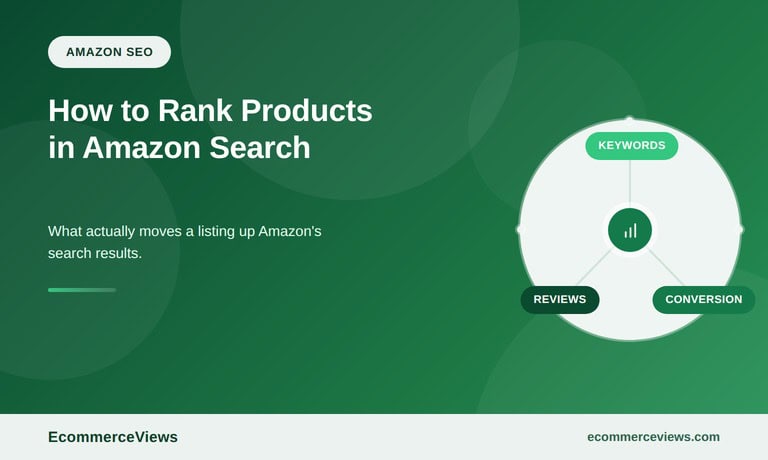
Amazon has never published its ranking algorithm, but its own seller guidance is unusually direct about what matters. Amazon’s guide to improving product search rankings on its seller site groups the work into keywords in the right fields, competitive pricing, high-quality images, strong reviews, and complete product detail pages. Read between the lines and you get the two halves of every Amazon ranking decision:
- Relevance: does the listing contain the words in the search, in the title, bullets, description, backend search terms, and structured attributes?
- Performance: when this listing has appeared for this search before, did shoppers click it, and did they buy it? Sales velocity, conversion rate, price competitiveness, stock availability, Prime eligibility, and rating all feed this half.
Relevance gets you into the results. Performance decides where you appear in them. A perfectly written listing with no sales history will sit on page three behind a sloppier listing that converts, which is why Amazon SEO is never just copywriting.
Why the organic real estate is shrinking
Amazon’s own numbers explain the pressure sellers feel. In its Q2 2026 quarterly report, net sales rose 20% year over year, while advertising services revenue reached $19.8 billion for the quarter, up from $15.7 billion a year earlier, a 26% increase. Advertising growing faster than sales means more of each results page is sponsored placement and less of it is earned.
For a seller, that changes the math in two ways. First, the organic positions that remain are worth more, because they are fewer. Second, advertising and organic ranking are no longer separate budgets: a sponsored placement that produces sales improves the performance signals that lift the organic position, which is the loop the rest of this guide is built around.
Step 1: Find the keywords Amazon shoppers actually type
Amazon keyword research is narrower than research for a store on Google. Shoppers on Amazon are already in buying mode, so informational queries barely exist, and the vocabulary is product-specific: material, size, quantity, compatibility, use case. The methodology we laid out for ecommerce keyword research still applies, with Amazon-specific sources replacing Google ones:
- Amazon’s own search suggestions, which reflect real query volume in the store rather than on the web
- Brand Analytics Search Query Performance and Top Search Terms reports, available to brand-registered sellers, which show the actual queries that led to impressions, clicks, and purchases of your ASINs and your competitors’
- Competitor listings, especially their titles and the terms repeated across bullets, which show what already ranks
- Sponsored Products search term reports, which reveal which queries convert for you even before you rank organically for them
- Customer reviews and questions, where buyers describe the product in their own words, often with terms you would never think to add
Group the results by intent: the two or three head terms that define the product, the attribute terms (color, size, material, count), the use-case terms (“for camping”, “for small dogs”), and the comparison terms (brand alternatives, “vs”). Each group goes into a different part of the listing.
Step 2: Titles under Amazon’s current rules
The title carries the most weight of any text field, and Amazon has tightened the rules on it. Since the requirements introduced in January 2025, titles in most categories are limited to 200 characters, may not contain promotional phrases or special characters that are not part of a brand name, and may not repeat the same word more than twice. Listings that break the rules can have their titles rewritten by Amazon.
Within those limits, the formula that consistently works: brand, product type using the head term, the two or three attributes shoppers filter by, then the count or size. “Brand Stainless Steel Insulated Water Bottle, 32 oz, Wide Mouth, Leak Proof, Keeps Drinks Cold 24 Hours” covers the head term, the attributes, and a benefit in readable order. Front-load the head term because mobile results truncate titles, and because the first words are what shoppers scan.
Step 3: Bullets, description, and the backend search terms
Bullets are where Amazon reads the rest of your relevance, and where shoppers decide whether to scroll further. Most categories allow five. Each should lead with the benefit or attribute in a few capitalized words, then explain it, and each should carry a keyword group from Step 1 that the title did not. Bullets that repeat the title, list features without context, or run past the visible width on mobile waste the slot.
The product description (or A+ Content for brand-registered sellers, which replaces the plain description on the detail page) is for the buyer who wants the full story: materials, dimensions, compatibility, care, what is in the box. Write it for conversion. Its influence on relevance is smaller than the title and bullets, and its influence on the purchase decision is larger.
Backend search terms are the field shoppers never see. Amazon limits them to fewer than 250 bytes, and the rules are strict: no competitor brand names, no ASINs, no repetition of words already in the title or bullets, no subjective words like “best” or “cheap”. Use the space for synonyms, alternate spellings, regional terms, and the use-case phrases that did not fit the visible copy. Separate terms with spaces, not commas, and never waste bytes on the words the title already contains.
Step 4: Images and video that convert the click
Images are ranked indirectly: a better main image raises click-through rate, which raises the performance half of the ranking, which raises position. Amazon’s technical requirements are fixed: the main image on a pure white background, the product filling roughly 85% of the frame, at least 1,000 pixels on the longest side so zoom works, with 1,600 pixels or more recommended. Everything after the main image is where conversion is won or lost:
- Infographic images that show dimensions, materials, and the two or three features shoppers compare
- Lifestyle images with the product in use, at the scale it will actually be
- Comparison charts against your own variants, not against competitors, which Amazon prohibits
- Packaging and contents for anything sold as a set
- A short video, since listings with video tend to hold attention longer on the detail page and video appears in search results for many categories
Test the main image. Amazon’s Manage Your Experiments tool, available to brand-registered sellers, runs A/B tests on main images, titles, and A+ Content with real traffic, and the main image is the variable with the largest measurable effect on clicks.
Step 5: Price, the Featured Offer, and staying in stock
Three performance signals sit outside the listing text entirely, and each can undo everything above. Price competitiveness is measured against the same product elsewhere on Amazon and, increasingly, against other retailers; a listing priced well above the market loses the Featured Offer (the Buy Box) and with it most of its conversion. Availability is binary: a listing that runs out of stock loses its sales velocity, and when stock returns, it does not return to its old rank automatically. Prime eligibility, through FBA or Seller Fulfilled Prime, is a filter many shoppers apply before they see a single result.
The pricing pressure is real and it is structural. Amazon competes with marketplaces built on price alone, and the comparison in our guide to Amazon vs Temu shows where each one wins for sellers. On Amazon, the practical rule is to price within the range of the first-page listings for your head term and to treat a stockout as a ranking emergency, not an inventory footnote.
Step 6: Ratings, review velocity, and what they do to rank
Reviews influence Amazon rank twice: directly, since rating and review count are performance signals, and indirectly, since shoppers use the star rating as a filter before they read anything else. A listing at 4.3 stars with 800 reviews will usually outrank and outsell a listing at 4.7 with 12, because the first has demonstrated conversion at scale.
Amazon’s rules on soliciting reviews are strict, and the compliant tools are limited: the Request a Review button in Seller Central, the Vine program for new products, and product inserts that ask for honest feedback without incentives or conditions. What works within those limits, on Amazon and on your own store, is covered in our guide to getting more product reviews. For ranking purposes, the goal is steady velocity, a few reviews every week rather than a burst at launch, and a fast response to the negative ones that mention a fixable problem.
Step 7: Brand Registry, A+ Content, and the data you cannot get otherwise
Brand-registered sellers get tools that change how Amazon SEO is done. Enrolling through Amazon Brand Registry unlocks A+ Content on the detail page, Sponsored Brands and Brand Stores, the Manage Your Experiments testing tool, and Brand Analytics, which is the closest thing Amazon offers to a keyword research tool with real search data behind it.
The Search Query Performance report alone justifies the registration. It shows, per query, how many impressions your ASINs received, how many clicks, how many add-to-carts, and how many purchases, alongside the same numbers for the whole search. A query where you get impressions but no clicks has a title or main image problem. A query with clicks but no purchases has a price, review, or detail page problem. That is the diagnostic loop the rest of this guide describes, with actual numbers attached.
Step 8: Advertising as an organic tool
Sponsored Products campaigns are usually treated as a cost of doing business. They are also the fastest way to generate the sales history that organic ranking depends on. A new listing that wins sales through ads on its head term builds the conversion and velocity record that Amazon uses when deciding where to place it organically, which is why the two budgets should be planned together:
- Launch: bid aggressively on the head term and the three or four attribute terms from Step 1, accepting a high advertising cost of sale to build velocity
- Stabilize: as organic rank rises for a term, reduce bids on it and move the budget to the next keyword group
- Defend: keep a presence on your own brand terms and the top head term so a competitor’s launch cannot take the page while you are not looking
- Harvest: pull converting search terms from the advertising reports into the listing text and backend terms, so the ads keep teaching the listing
Measure total advertising cost against total revenue for the ASIN, organic included, rather than the cost against only the sales attributed to the ad. A campaign that looks unprofitable in isolation is often the engine behind the organic sales next to it.
Amazon and your own store are one strategy
The mistake sellers make is treating Amazon SEO and their own store’s SEO as separate worlds. They share product data, images, reviews, and pricing discipline, and each channel can feed the other: Amazon’s Search Query Performance data tells you which terms shoppers use, which is knowledge your store’s category pages need too, and your own store’s content builds the brand searches that Amazon rewards with cheap, high-converting traffic. Running both without letting one dictate the other is the subject of our guide to marketplace management in ecommerce; the ranking work described here is the Amazon half of that job.
What it costs to play
Amazon’s referral fees, FBA fees, storage fees, and advertising costs stack up quickly, and a listing that ranks well on a product with a thin margin can lose money on every sale. Before investing in ranking any product, work through the fee structure with real numbers. Our Amazon review covers the platform’s fee schedule and seller programs in detail. The short version: Amazon SEO is worth doing for products where the fully loaded margin after fees and a realistic advertising cost still leaves room, and it is a trap for products where it does not.
Putting it together
Start with the data: Brand Analytics if you are registered, search suggestions and competitor listings if you are not. Rewrite the title and bullets against the current rules, fill the backend terms with what did not fit, and rebuild the image set with the main image tested first. Fix price and stock so the performance half of the algorithm has something to work with. Then run advertising as a ranking tool, harvest what it teaches, and check the Search Query Performance report monthly to see which queries are gaining and which have stalled.
Amazon changes its results page more often than Google does, and a listing that ranked last quarter can lose its position to a competitor with a better main image and a lower price. The sellers who keep their rankings treat the listing as a product in its own right, revised on a schedule, rather than a form filled in once at launch.
About the Author
Matija Konjić is the founder of Link Inbound, a link building and content marketing agency working with B2B and B2C brands. He has built campaigns across 40+ industries and obsesses over the data behind what actually moves rankings.